Threat intelligence, pointed at your boxes.
A CVE feed is generic. ThreatCluster Exposures pairs the live threat graph with each customer's actual inventory and tells you, host by host, what to patch first.
Two streams against your stack.
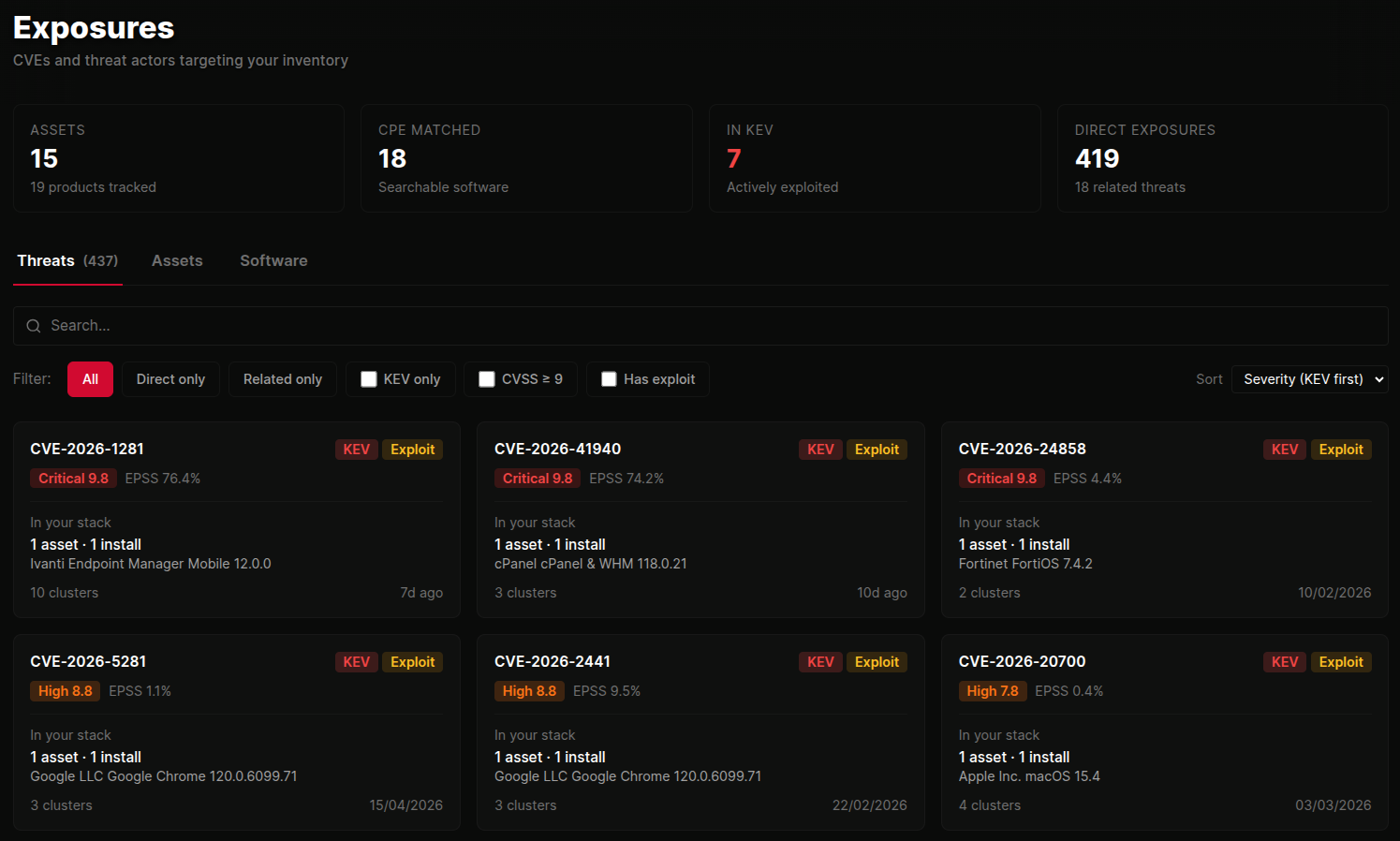
Exposures joins the live threat feed with each client's asset inventory and tells you what to patch first. Two overlays: direct exposures (CVEs against their installed software) and related threats (actors and malware targeting their tech).
Filter by KEV-only, CVSS ≥ 9, or has-exploit. Sort by severity, latest activity, asset reach, or cluster volume. Search by CVE, product, or vendor to jump straight in.
- Direct CVE matches against installed software
- Related threat actors and campaigns targeting their stack
- Per-asset breakdown showing which boxes are affected
- Filter by KEV, EPSS threshold, public-exploit availability
 click to expand
Per-customer, end to end.
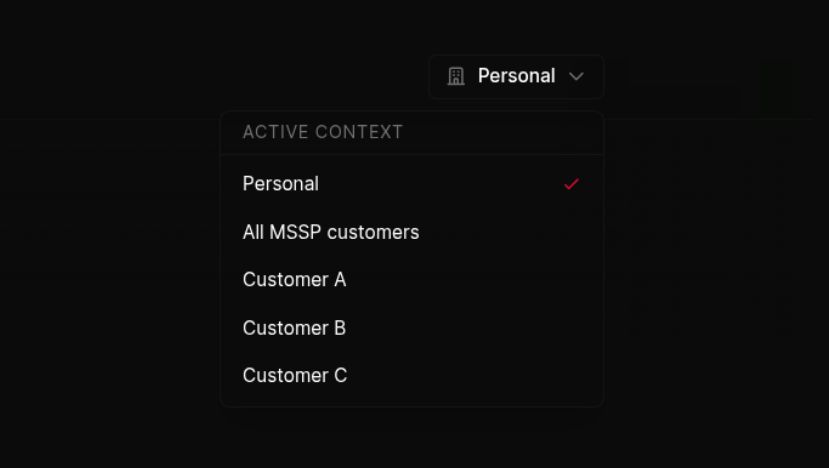
For MSSPs, every asset, every CVE match, every SSVC ranking is scoped to a specific customer. Switch the active customer from the navbar and the entire exposures page re-scopes. Assets, software, threats, all of it.
Each customer's data stays in its own lane. Analysts see only what they're allowed to see, and the switcher makes it impossible to accidentally take action against the wrong client.
 click to expand
Connect what you already run.
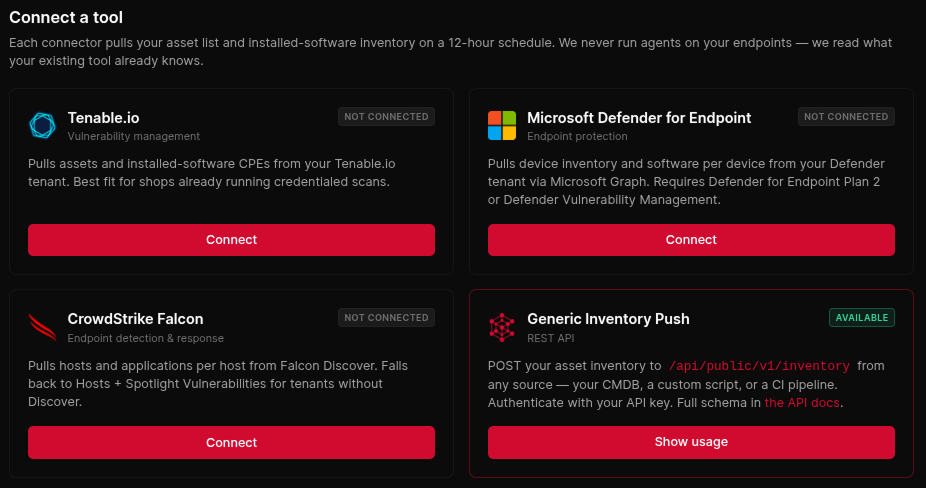
Pull asset inventory via Tenable, Microsoft Defender, CrowdStrike, bulk CSV/JSON upload, or the public REST API. All per-client. The MSP brings the eyes, ThreatCluster does the matching.
Soft-deletion and re-syncs are non-destructive. Assets you stop reporting fall out gracefully without losing history, so trend lines stay intact when an MSP swaps scanner vendor or a client decommissions a host.
 click to expand
Ranked the way CISA ranks them.
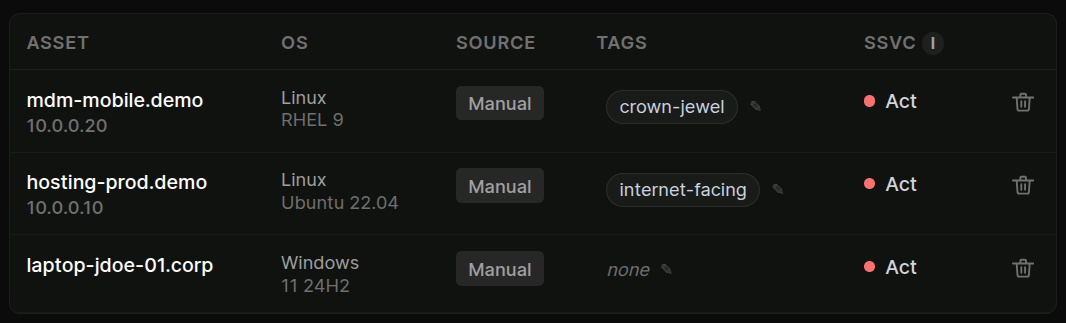
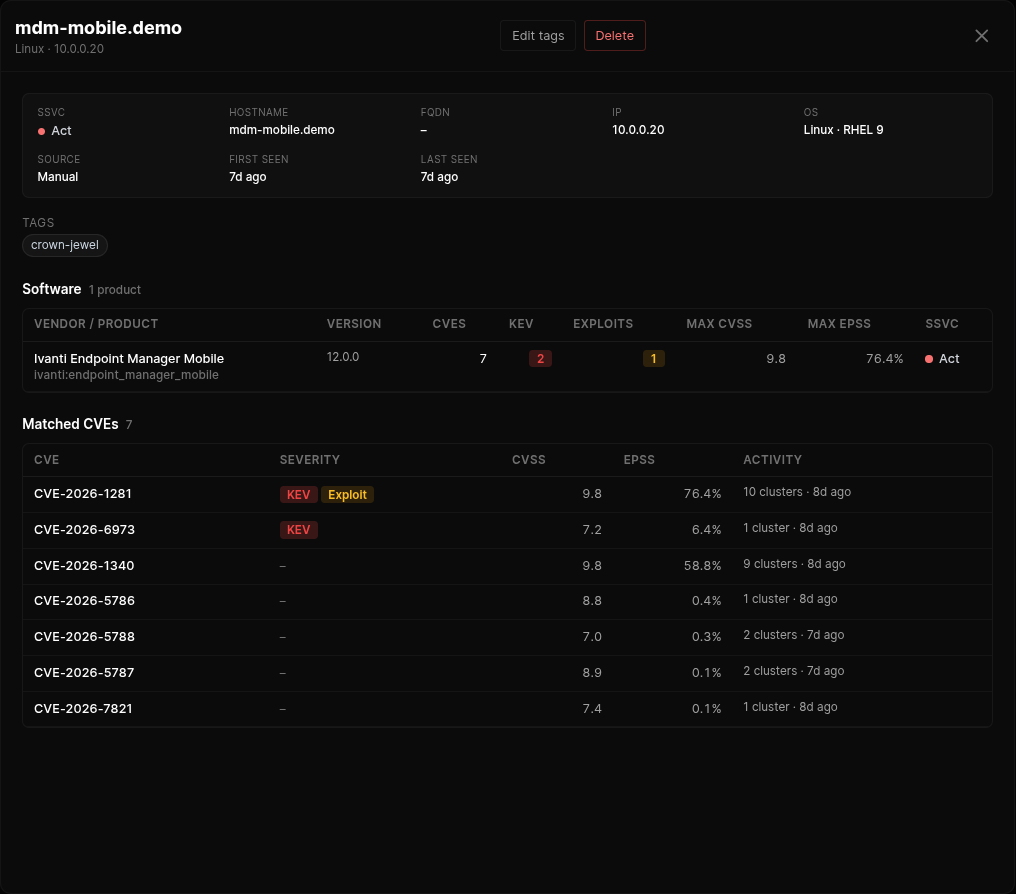
CISA's SSVC stages map exploitation evidence to action. Every host gets one: Act, Attend, Track*, Track, or Clear. Things to patch first sit at the top. Hover any pill for the reasoning. The pill explains the KEV listing, the public exploit, the EPSS score, and the asset tag context that drove the ranking.
Tag assets as internet-facing, crown-jewel, or isolated and the SSVC tree adapts. An exploitable bug on an isolated lab box doesn't deserve the same urgency as the same bug on the public-facing VPN concentrator.
 click to expand
Asset view, host by host.
Every host ranked by CISA SSVC. Bulk columns surface CVE count, KEV count, exploit count, max CVSS, and max EPSS at a glance. Click any host to see the full software list, the matched CVEs per product, and the historical activity on each.
Tag editor is one click. Tags affect the SSVC tree immediately, no recalculation lag.
 click to expand
Software view. Patch the product, not the host.
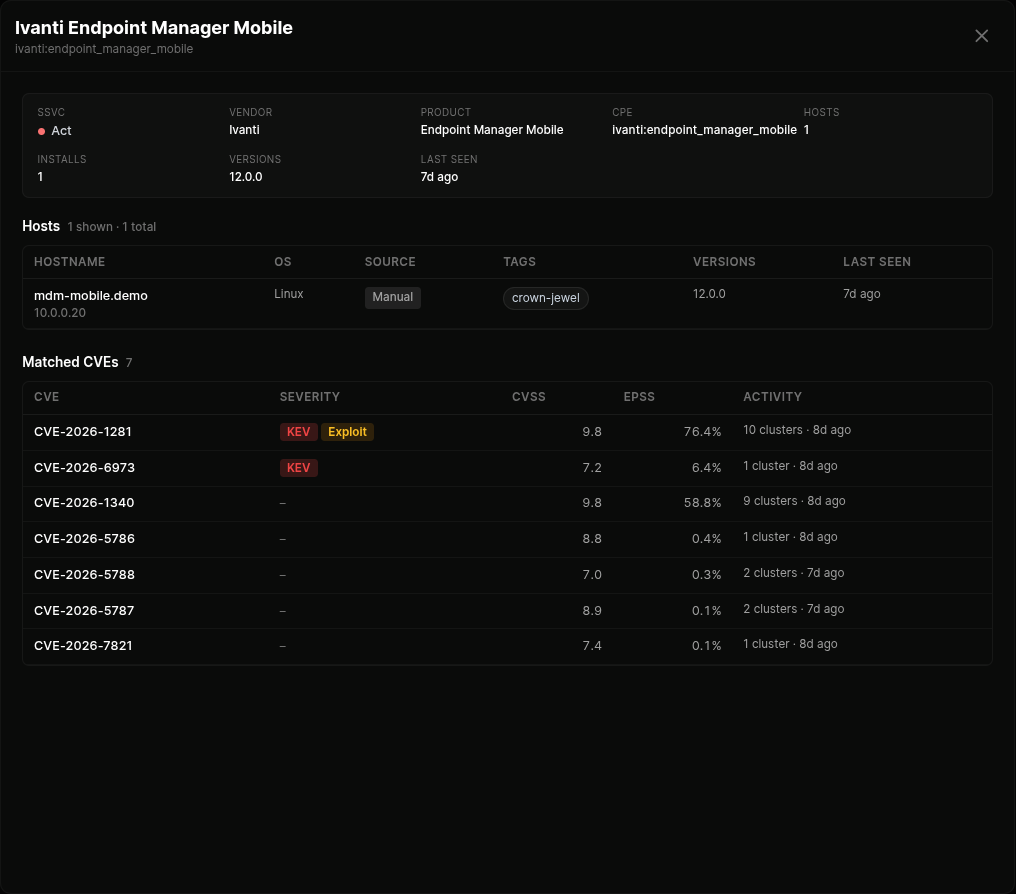
Pivoted by vendor and product so patch decisions land at product level. Same SSVC ranking aggregated across every host running that product. Shows the blast radius before you start the rollout.
Click any product to see every host running it, the specific versions in play, and the matched CVEs across those versions. Useful for "we need to patch Ivanti EPMM this week, how many hosts is that?" without spreadsheet gymnastics.
 click to expand
Goes well with
Exposure management FAQ
What is exposure management in ThreatCluster?
It points the threat picture at your actual stack. Connect a scanner and your assets and software are ranked by real-world exploitation using CISA's SSVC framework, so you patch what is being used against defenders first.
How does it prioritise what to patch?
By SSVC decision stages rather than CVSS alone. Exploitation status, exposure and mission impact combine into an Act / Attend / Track / Track* decision for each finding.
What scanners does it connect to?
Vulnerability and asset data connects from tools like Tenable, Microsoft Defender and CrowdStrike, or by bulk upload. Connection is non-destructive and re-syncs cleanly.
How quickly can I get a ranked list?
About five minutes from connecting a scanner to a CISA-graded exposure list, because the ranking runs against data ThreatCluster already holds.
What if I have no scanner connected?
You still get the sector and vendor threat picture and can track your software stack manually; connecting a scanner adds the asset-level ranking on top.
Connect a scanner. See your stack ranked.
Five minutes from connector to a CISA-graded exposure list per customer. Free to try, no sales call required.