Alerts: rules, asset lists and alert emails
An alert rule watches one kind of thing, decides what counts, and tells you when something new matches: in the app, by email, or by webhook. This guide covers building rules, the rules ThreatCluster keeps for your asset list, what an alert looks like when it arrives, and how to keep alerts worth reading. Rules are part of every paid plan, from Starter up.
Build a rule
Open Settings → Alerts → Rules and choose New rule. A rule watches one of three things:
- Stories: ThreatCluster's clustered news, with the companies, products, threat actors, CVEs and indicators found in each. Filter on any of those, on words in the title or summary, on the threat score or on the number of reports.
- CVEs: new and rescored vulnerabilities. Filter on vendor, product, CVSS, severity, EPSS, CISA KEV, a public exploit, use by ransomware, or whether a story has reported it.
- Dark web: ransomware leak-site listings, by group, victim country, industry, name or domain. A listing is the group's claim, not a confirmed breach.
Conditions combine with all of, any of or none of, and groups can sit inside groups. As you edit, the rule is read back in plain English and run against the last 30 days, so you see what it would have caught, and roughly how often, before you save it.
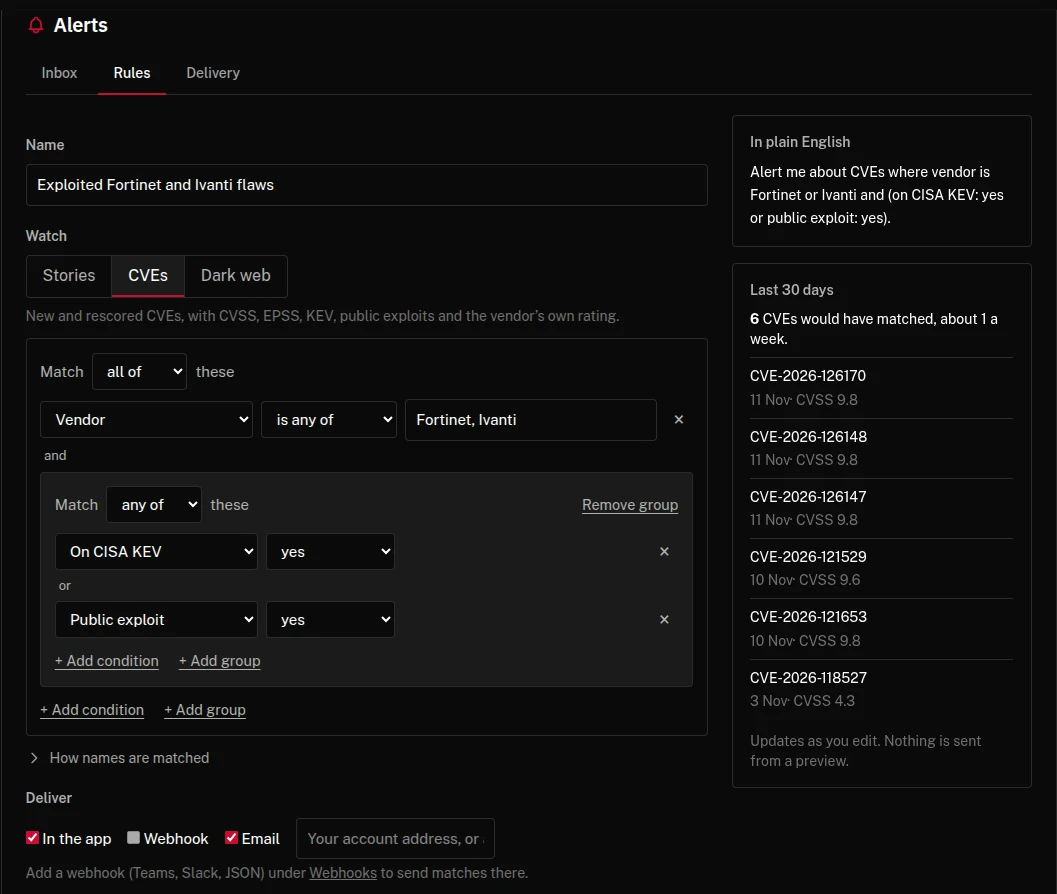
Names match however they are written: "Palo Alto Networks" is the same as paloaltonetworks, and a product name matches as whole words inside a longer one, so "Connect Secure" finds "Ivanti Connect Secure". The How names are matched note under the conditions has the details.
Your rules
Saved rules are listed with their description and where they deliver. Pause a rule to stop it without losing it.
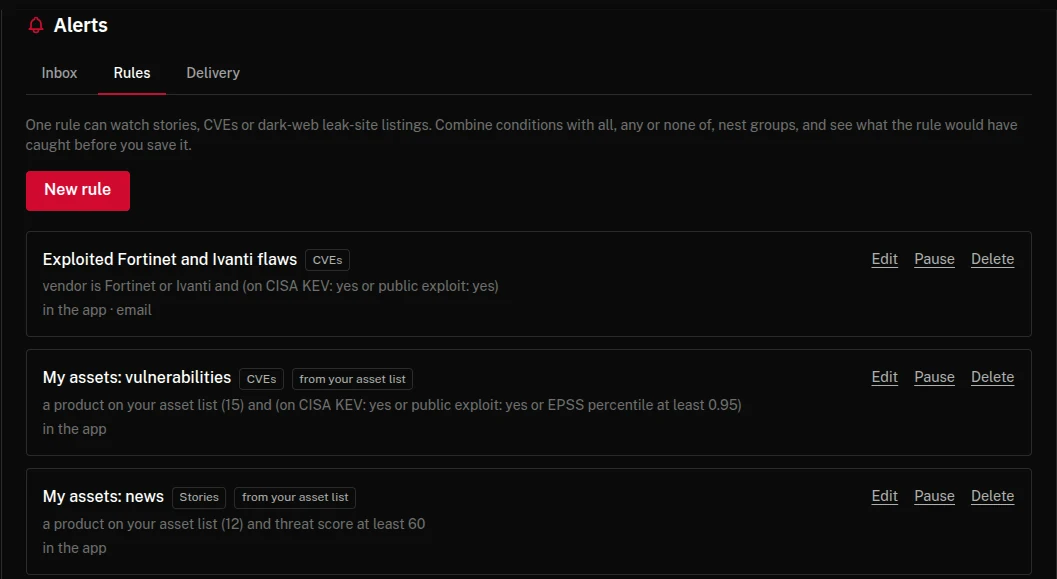
Feeds can alert too. The bell on a feed (the default feed, a custom feed or an organisation feed) turns it into a rule that follows the feed: add something to the feed and the alert covers it. Feed alerts are managed from the bell, below the rules.
Alerts from your asset list
Under Settings → My Feeds → My Assets, upload a CSV of hosts and software: an export from an RMM, a scanner or a SIEM, or the CSV template. ThreatCluster matches the vendors and products in it and keeps two rules for you:
- My assets: vulnerabilities: CVEs in your products that are on CISA KEV, have a public exploit, or are in the top 5% by EPSS. This is the alert an asset list is for.
- My assets: news: stories scoring 60 or more that are about one of your products. Platforms that are in the news all the time, such as Windows or Linux, are left to the vulnerabilities rule.
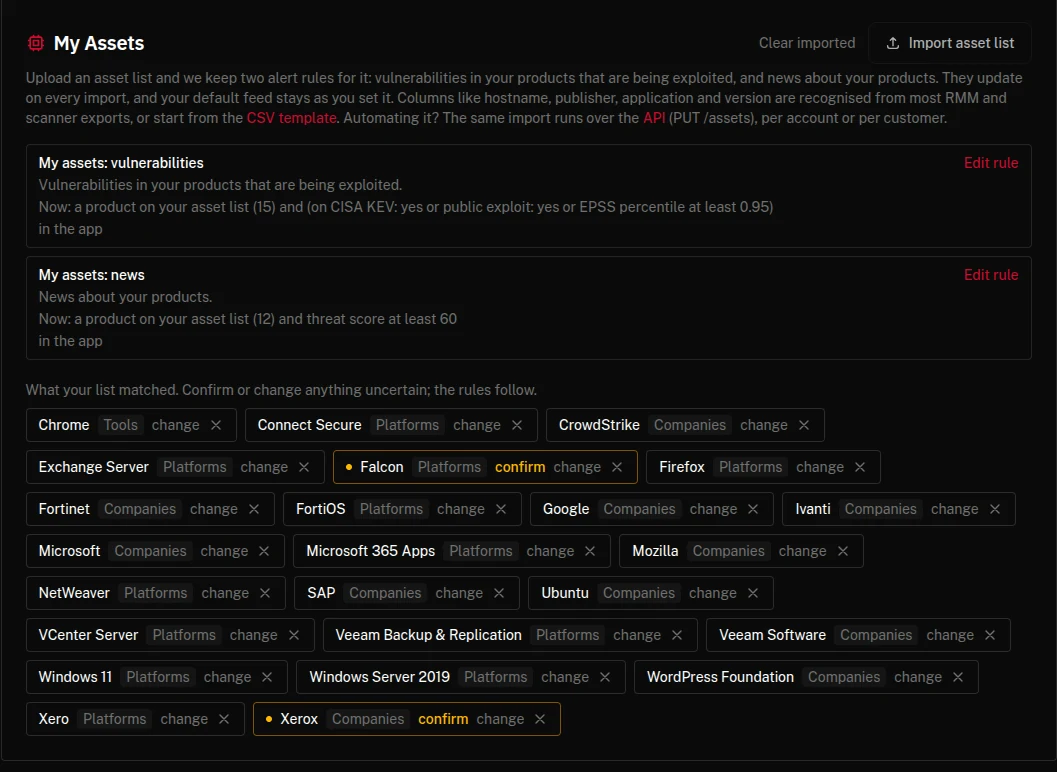
Both rules alert in the app until you choose otherwise. Every import rewrites only the list of vendors and products; a score threshold, an extra filter, a pause or email delivery you set in the rule builder stays. Your asset list never changes your default feed. The same import runs over the API: PUT /api/public/v1/assets, for your account or per managed customer.
Where alerts arrive
Each rule chooses any of three ways. Matches are gathered every 15 minutes, and a rule sends one message per run however many items matched.
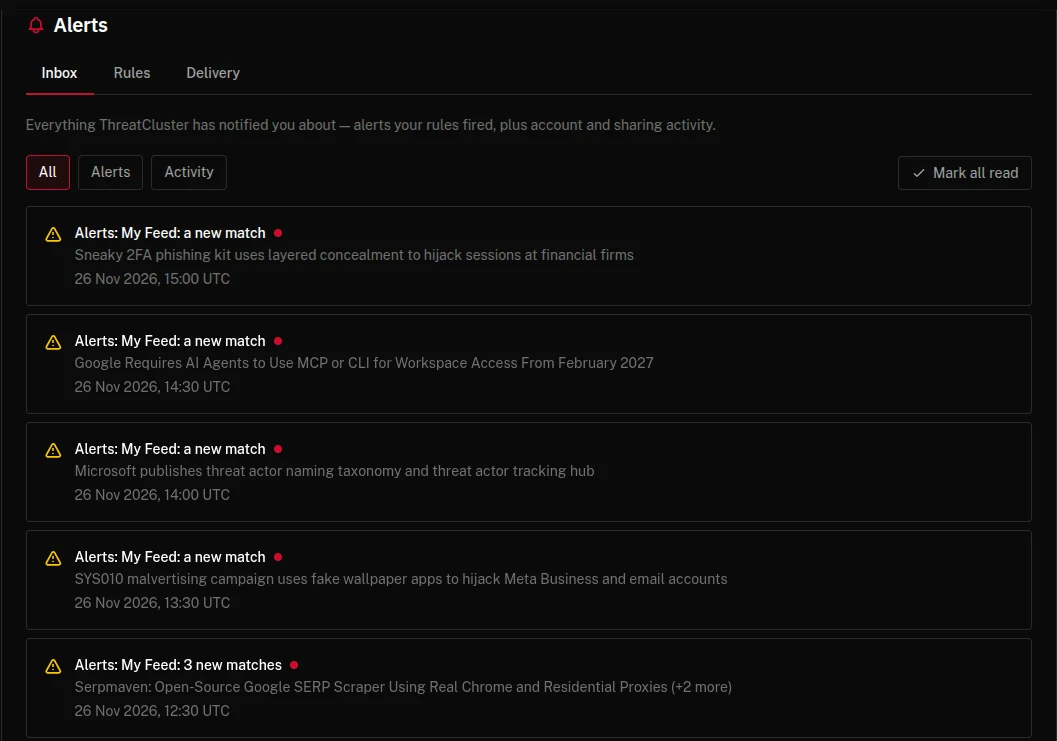
In the app. The bell in the header and Settings → Alerts → Inbox list every alert, newest first.
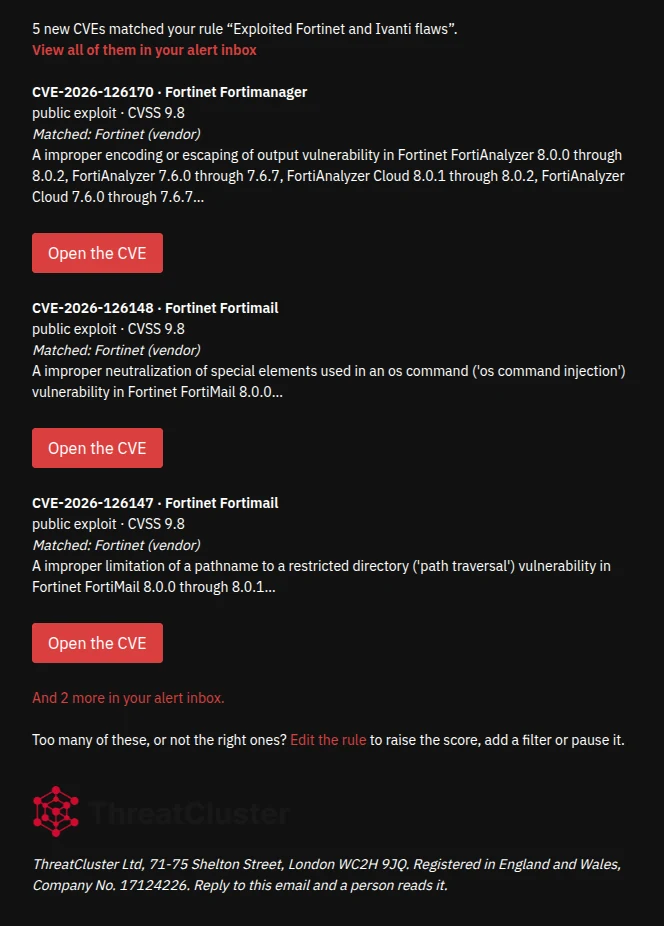
By email. The subject always reads [ThreatCluster] <rule name>: <count> new stories (or CVEs, or leak-site listings), so a mail rule can sort alerts. The email shows up to three matches, each with its score or CVE facts, why it matched and a button to open it, and links to the inbox for the rest.
By webhook. Add a webhook under Settings → Webhooks (Slack, Microsoft Teams, Discord or plain JSON) and tick it on the rule. Each match is posted as it fires, with rule_uuid, trigger_id and entity_ref, the same identifiers GET /api/public/v1/alerts returns, so a workflow can match a webhook to the API.
Keeping alerts worth reading
- Name products, not vendors. A rule on Microsoft as a company fires on most security news; a rule on Exchange Server does not.
- Add a floor. A threat score of 60 or more for stories, or CISA KEV / public exploit / EPSS for CVEs, keeps the alerts that need action.
- Use none of. Leave out what you never want: a word, a vendor, an industry.
- Read the preview. If the 30-day count is in the hundreds, the rule will be ignored. Tighten it before you save.
- Every email links to its rule. "Edit the rule" in each alert email opens that rule in the builder.
From the API
Rules are the same objects over the API: POST /rules to create, POST /rules/preview to try one, GET /rules/fields for the vocabulary, and GET /alerts for what fired. The older /alert-rules and /cve-alerts endpoints still work and create the same rules. See the alerts API reference.