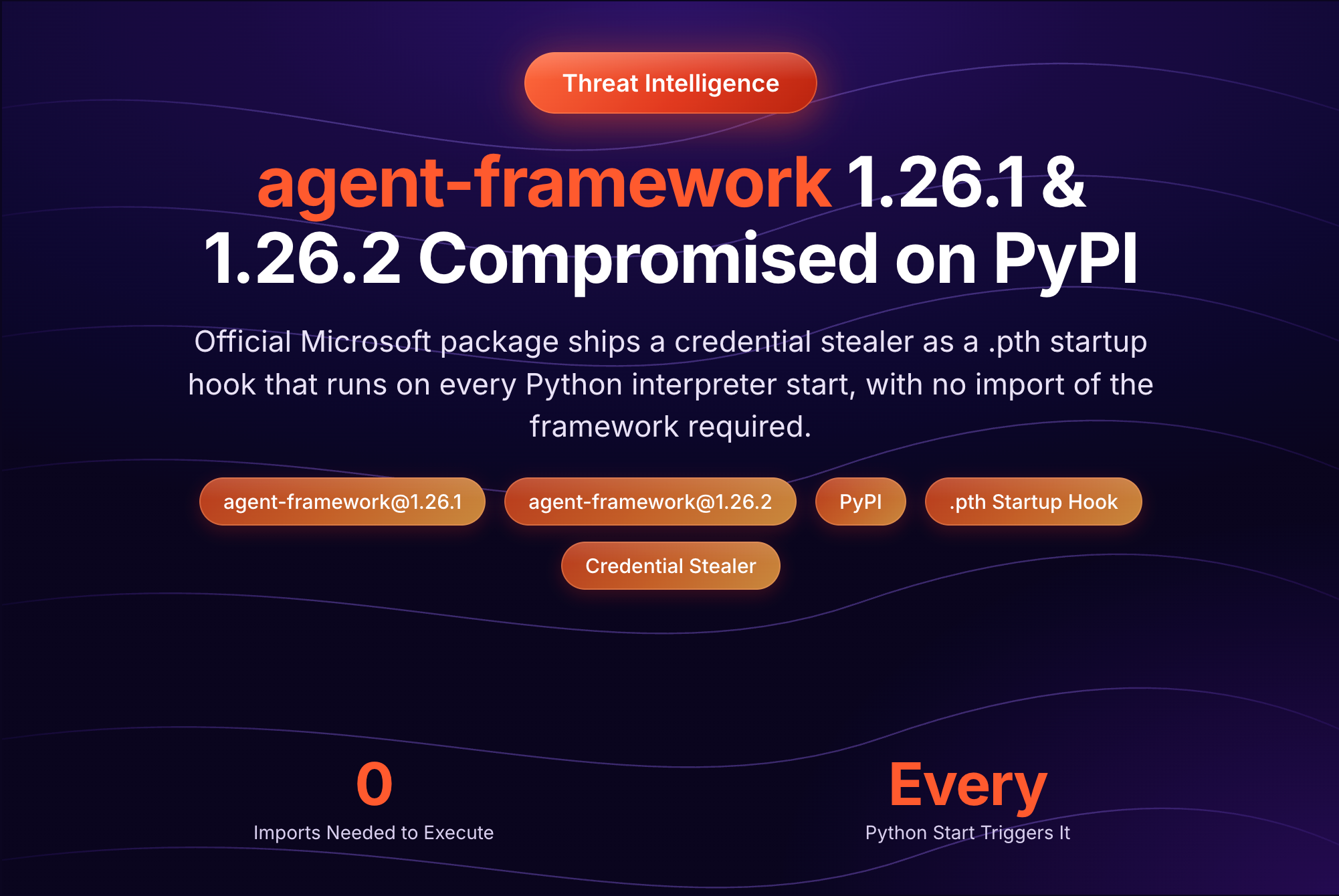
On November 17, 2026, versions 1.26.1 and 1.26.2 of the official Microsoft agent-framework package on PyPI were published carrying a credential-stealing payload. The payload is installed as a .pth startup hook, so it executes during Python startup in an affected environment when the interpreter processes the installed hook, with no import of the framework required. PyPI has quarantined both releases, but the attacker demonstrated continued publishing access by uploading 1.26.2 after 1.26.1 was already quarantined.®®
We downloaded both quarantined wheels directly from the PyPI file host and performed full static analysis. The payload is a cloud and CI/CD credential stealer that harvests environment variables and credential files, scrapes other processes' environments via /proc/*/environ , and mints fresh identity tokens from GitHub Actions OIDC, Azure DevOps OIDC, and Azure managed identity endpoints, exfiltrating everything to a free webhook.site endpoint.
If you installed agent-framework 1.26.1 or 1.26.2 anywhere, isolate the affected environment before starting Python or pip. Rebuild from a clean base and pin to 1.26.0 (the last clean version, released November 12) and treat credentials the payload could read or request as potentially exposed. Full remediation steps are below.
Audit egress logs for webhook.site . Investigate requests to the UUID path below and distinguish blocked attempts from successful transfers. A domain connection alone does not confirm exfiltration.
Key finding: the attacker published two malicious wheels within 33 minutes. Version 1.26.1 was uploaded at 20:35:20 UTC on November 17 and quarantined at 21:06:16 UTC. Version 1.26.2 followed at 21:08:39 UTC, just 2 minutes 23 seconds after the first quarantine, and was quarantined at 21:16:44 UTC. This demonstrates that quarantining the first release did not immediately revoke the attacker's publishing access. It does not establish whether that access remains available now.
Background: What Is agent-framework?
agent-framework is the umbrella package for Microsoft's Agent Framework for Python, an open-source framework for building and orchestrating AI agents. The wheel is a thin meta-package: it contains a single agent_framework_meta/__init__.py that declares dependencies on the component packages ( agent-framework-core and friends) that do the real work. The project has released on a steady weekly-to-biweekly cadence since April 2025, and version 1.26.0 shipped normally on November 12, 2026, five days before the malicious releases.
The Attack: Two Malicious Releases Within 33 Minutes
The malicious wheels were uploaded to the official PyPI project. The available evidence does not establish the initial access vector, the specific account or credential used, or the uploader's identity. A user-agent string identifies the client claimed by an upload request, not its operator. The satellite packages checked in the preserved investigation— agent-framework-openai , agent-framework-redis , agent-framework-postgres , agent-framework-purview , and agent-framework-tools —had no uploads after November 12 at the time of that check. This is not a blanket finding every package in the family.
Both malicious wheels carried the uploader user-agent RestSharp/106.13.0.0 and had no published provenance attestation. The absence of an attestation alone does not identify the upload mechanism or establish a change from the legitimate release process. Unlike the clean 1.26.0 release, which included a wheel and source distribution, both malicious releases shipped wheels only. Their distribution metadata retains the clean release's project information and dependencies, including agent-framework-core[all]==1.26.0 ; the injected executable files are the decisive evidence of compromise.
The attacker iterated on the payload between the two releases:
1.26.1 added agent_framework_meta.pth at the wheel root, a new module agent_framework_meta/_telemetry.py , and eight appended lines at the bottom of the package's __init__.py that import the module and start it.
1.26.2 , published after 1.26.1 was quarantined, moved to a standalone pair at the wheel root: a 23-byte af_runtime_diag.pth containing a single line, import af_runtime_diag , plus a 7,658-byte af_runtime_diag.py . The __init__.py was restored to its clean 1.26.0 content, and the payload gained new capabilities described below.
The malicious wheels place their .pth hooks in site-packages . Python's site initialization executes import lines in these files when it processes that directory. Subsequent launches of Python tools in the affected environment can therefore trigger the payload without importing Agent Framework explicitly. This does not automatically affect every virtual environment sharing a base interpreter: exposure depends on which site-packages directories the interpreter processes. The -S option disables automatic site initialization, but is not a substitute for containment and rebuilding.
Attack pattern: .pth startup hooks are an increasingly common PyPI malware technique because they decouple execution from any import of the compromised package. A later launch of pytest, a Python build script, a linter, or pip in the affected environment can trigger the payload. Non-Python steps do not themselves trigger the hook, although a previously started collector may still be running.
The payload is lightly obfuscated: the only hidden value is the exfiltration URL, stored base64-encoded and decoded at runtime. Everything else is plain Python. On startup it sets an anti-recursion flag ( _AF_TEL=1 ), then forks a child process, calls setsid() to detach it from the parent's session, and exfiltrates from that child. The child can outlive its parent interpreter; survival beyond the job depends on runner cleanup and container or VM teardown. The payload suppresses exceptions and does not intentionally print its collected data to job logs. If fork is unavailable, it falls back to a daemon thread, which may stop before collection completes when the interpreter exits. The _AF_TEL guard prevents repeat collection in descendants that inherit it; independent Python launches can trigger collection again.
The collection routine gathers:
Host context: hostname, username, working directory, command-line arguments, timestamp.
Environment variable harvesting: any variable whose name contains one of 35 substrings in 1.26.2 (31 in 1.26.1): TOKEN, SECRET, PASSWORD, PASSWD, KEY, CONNECTION, ENDPOINT, AZURE, AWS, GITHUB, GH_, HF_, HUGGING, OPENAI, FOUNDRY, VSS, SYSTEM, BUILD, AGENT, CI_, PIP, NPM, NUGET, COSMOS, STORAGE, SUBSCRIPTION, TENANT, CLIENT, IDENTITY, MSI, MANAGED, ACTIONS, OIDC, RUNNER, ARM_.
Credential file harvesting: up to 80 files (60 in 1.26.1), each smaller than 262,144 bytes, with captured text truncated to 120,000 characters, matched by 37 glob patterns in 1.26.2 (35 in 1.26.1) spanning Azure CLI token caches ( ~/.azure/*.json ), pip.conf, .npmrc , .netrc , .git-credentials , Docker config.json, Hugging Face tokens, Foundry credentials, Azure DevOps agent credential files ( vss-agent and _work paths including /mnt/azure_nvme_temp ), application .env files, and, added in 1.26.2, GitHub Actions runner directories / /runner/work/_temp/* and / /runner/.azure/* .
Live process environment scraping: reads /proc/[0-9]*/environ for the first 300 processes, extracting key-value pairs containing TOKEN, SECRET, PASSWORD, KEY=, ENDPOINT_AUTH, SYSTEM_ACCESSTOKEN, IDENTITY_HEADER, and, in 1.26.2, ACTIONS_ID_TOKEN. This can collect secrets held by other processes, including the CI runner, where operating-system permissions allow those environment files to be read.
The payload also attempts to obtain fresh identity tokens. These requests depend on the available credentials, endpoint access, and identity configuration; static analysis establishes the attempts, not successful issuance or subsequent cloud access:
GitHub Actions OIDC (1.26.2 only): uses ACTIONS_ID_TOKEN_REQUEST_URL and ACTIONS_ID_TOKEN_REQUEST_TOKEN (or the runtime token) to request JWTs for the audiences api://AzureADTokenExchange and . GitHub OIDC issuance requires the relevant job permission, normally id-token: write . Azure token exchange additionally requires a federated trust accepting the token's issuer, subject, and audience. The payload collects the responses; it does not itself perform the Azure exchange.
Azure DevOps OIDC (both versions): posts to SYSTEM_OIDCREQUESTURI with the pipeline's SYSTEM_ACCESSTOKEN to request Azure AD token exchange tokens.
Azure managed identity (both versions): requests tokens from IDENTITY_ENDPOINT / MSI_ENDPOINT (App Service style) or the IMDS endpoint 169.254.169.254 for twelve resources: Azure Management, AI, ML, Cognitive Services, Storage, Key Vault ( vault.azure.net ), , Graph, Container Registry, the Azure DevOps resource GUID 499b84ac-1321-427f-aa17-267ca6975798 , and api://AzureADTokenExchange . It also requests IMDS instance metadata and retains up to 8,000 characters of the response, potentially exposing subscription, resource-group, and host identity details.
Everything is compressed with zlib, base64-encoded, and POSTed in one request to with Content-Type application/octet-stream and User-Agent runtime-diagnostics/1 ( af-runtime-diagnostics/1 in 1.26.1). The inspected payloads contain no remote-code-loading second stage. The installed .pth hook provides repeated execution independently of continued registry access; no separate scheduled task or system service is installed. Each collector makes one exfiltration attempt, suppresses failures, and has no retry loop. Compression and base64 encoding are not encryption; HTTPS protects the request in transit.
Why token minting matters: rotating static secrets does not necessarily invalidate already-issued identity tokens. A stolen OIDC token may be exchanged while valid if the cloud provider accepts its claims. Removing or disabling the relevant federated trust can prevent future exchanges through that trust, but does not necessarily revoke access tokens already issued. Continued token issuance also requires access to a valid workload or managed-identity context. Contain the workload, review service connections and role assignments, and monitor identity and resource-access logs throughout the exposure window.
Indicators of Compromise
Contain before running Python or pip: isolate affected hosts, containers, and runners from the network. Do not begin with pip uninstall , pip show , or a Python inspection command in the affected environment: interpreter startup can run the hook again. Preserve installation records, process information, and network logs using trusted tooling.
Stop the payload and rebuild: terminate identified malicious collector processes and prefer replacing the affected environment or image from a known-clean base. If inspection or removal is necessary, use trusted tools that do not start the affected interpreter. Check for agent_framework_meta.pth , agent_framework_meta/_telemetry.py , af_runtime_diag.pth , and af_runtime_diag.py , along with their cached bytecode and malicious-version distribution metadata. Removing a hook alone does not terminate an existing collector.
Rotate exposed credentials from a clean system: if the payload could have run, treat credentials it could read or request as exposed. Cover CI secrets, cloud keys, environment tokens, package-registry and Docker credentials, Git credentials, Hugging Face tokens, Azure CLI caches, and relevant service connections. This is a containment assumption, not proof that every credential was successfully transferred.
Review identity access: audit GitHub OIDC permissions, Azure federated credentials, Azure DevOps service connections, and managed-identity role assignments. Disable compromised trust or access paths as appropriate and investigate unexpected token issuance and resource access. Do not assume deleting a trust relationship revokes every already-issued token.
Hunt across your estate: inspect lockfiles, installed-package metadata, CI logs, dependency caches, internal mirrors, and container images for both affected versions. Investigate the exact webhook UUID path and user-agent strings. Distinguish connection attempts, policy blocks, and completed transfers; the shared domain alone is not incident-specific.
Restore from a clean environment: pin to the verified clean agent-framework==1.26.0 release and use a hash-pinned dependency lockfile. Block versions 1.26.1 and 1.26.2 in package controls. Remove affected cached artifacts and rebuild images that contain them; registry quarantine does not remove copies already downloaded.
For StepSecurity Customers
StepSecurity customers can use the controls below to investigate exposure to agent-framework versions 1.26.1 and 1.26.2 , review CI/CD activity, and prevent compromised dependency updates from merging.
Open the StepSecurity Threat Center to review the latest available incident information and remediation guidance. For an incident listed as Affecting You , inspect Matched components for affected repositories, pull requests, and developer machines, and Matched IOCs for related Harden-Runner runtime observations. Threat Center is available on the Enterprise tier.
Notifications follow your configured Slack, email, AWS S3, or webhook integrations and notification granularity. After completing remediation, mark the relevant findings remediated and record what changed. StepSecurity flags findings that reappear in subsequent observations.
Harden-Runner correlates outbound connections with the responsible process and workflow step. Review protected runs from November 17, 2026 onward for connections to webhook.site , especially Python activity after dependency installation. Where HTTPS request metadata is available, investigate requests to /d381fd80-ec62-42ad-8f5c-d1b15103c9bb , the exfiltration path identified in this analysis.
Enforce egress-policy: block with an allowed-endpoints policy that excludes unneeded destinations. With webhook.site outside the allowlist, that policy blocks the payload's outbound request. Deploy Harden-Runner before dependency installation and Python execution.
Detect Affected Developer Machines
In Dev Machine Guard → OSS Packages , select Python and for agent-framework . Review versions 1.26.1 and 1.26.2 , affected devices, and installation paths, including packages installed by AI coding tools.
This payload uses a Python startup hook: an explicit import of Agent Framework is not required. If either version was installed, isolate the affected environment and follow the article's containment and credential-revocation guidance. Use device and installation-path results to target cleanup, then rescan. Removing the package alone does not terminate a detached payload process or establish that credentials are safe.
PyPI Package Cooldown Check
Enable the PyPI Package Cooldown check under GitHub Checks → Configuration and make it required for the relevant repositories. Newly introduced or updated dependencies fail the check while their release age is within your configured waiting period; the documented default is two days.
A cooldown can delay PR-based adoption of these releases while they are newly published. It does not protect every install path: an existing unpinned dependency can resolve to a newer release without a pull request. A version aging out of cooldown is not evidence that it is safe.
PyPI Package Compromised Updates Check
Enable the PyPI Package Compromised Updates check as a required control. It evaluates dependency changes against StepSecurity's maintained compromised-package intelligence; a matching dependency fails the check and required enforcement prevents the merge. Review check results for pull requests introducing either affected agent-framework version.
Use OSS Package (Enterprise tier) to scope exposure across your organization or tenant:
Select PyPI and Custom .
Enter agent-framework with versions 1.26.1 and 1.26.2 .
Set Seen In to All (PRs, Default Branch & Dev Machines) .
Review matching dependency files, pull requests, devices, and installation paths. Export results as CSV to assign remediation owners.
coverage depends on indexed dependency files and enrolled devices. Confirm resolved versions in build records and deployed environments as well; an empty does not rule out historical installation or exposure outside that coverage.
The full story
This article is one source in a clustered incident — the cluster page carries the summary, timeline and every other outlet covering it.
