Build a feed in a sentence
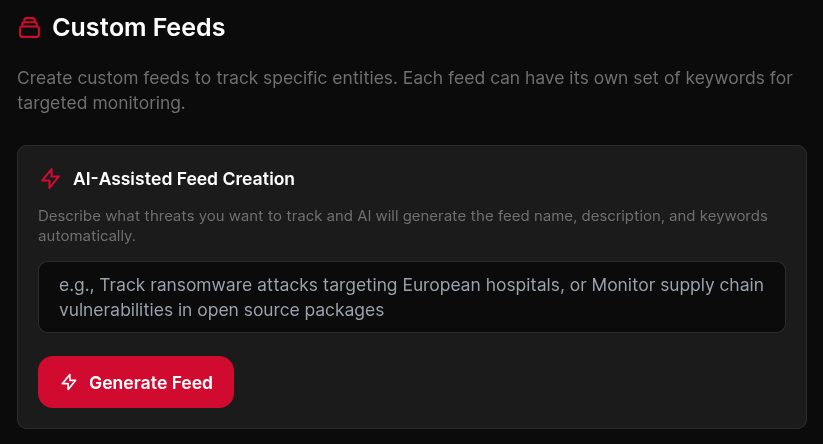
Describe what you need to see in plain English. Pin the entities, sectors and assets you actually track. Everything else stays out of it.
Tell it what you care about
Start with one sentence.
- Ransomware activity against UK manufacturing.
- CVEs in the products my top ten clients run.
- Anything mentioning Scattered Spider, ALPHV, or their tooling.
That gets translated into a structured filter against the live entity graph. You see exactly what it picked up, adjust anything it missed or over-matched, and save. Plain English in, working feed out, and the filter stays visible and editable rather than sitting behind the model.
 click to expand
Pin the entities you actually track
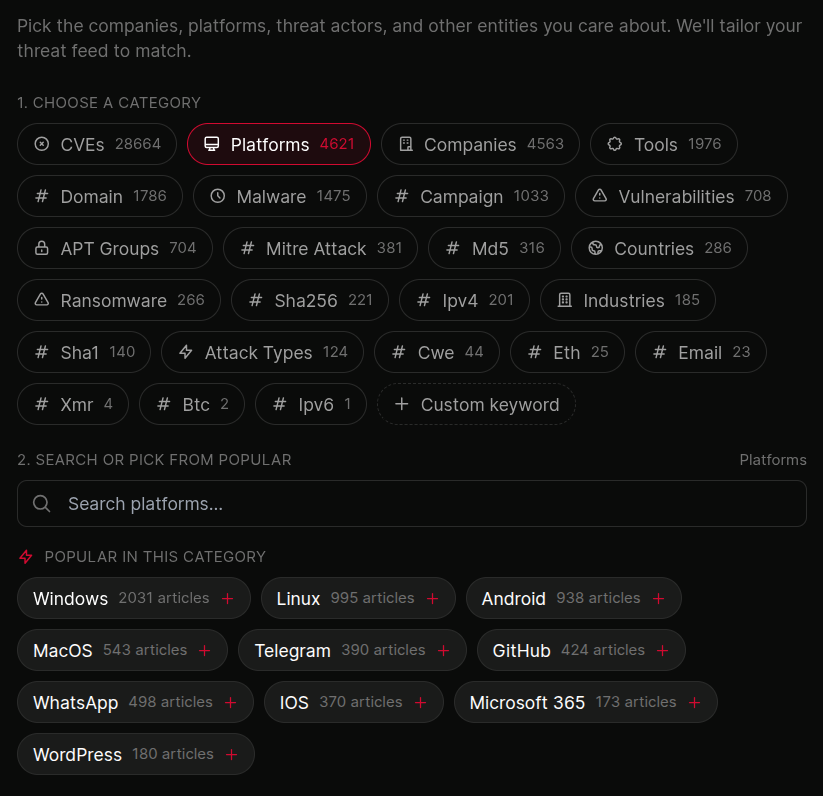
Threat actors, malware families, vendors, products, CVEs, sectors, regions or your own named assets. Twenty-one entity types, mixed freely in one feed. The feed only fires on clusters touching what you pinned.
A single client-exposure feed might pin three vendors, two CVEs and the groups known to exploit them. That is one feed rather than three saved searches you have to remember to check.
 click to expand
However your team actually reads
A feed nobody opens is not intelligence. Send it where the work already happens.
- Email digest, daily or weekly, formatted to be read on a phone before standup
- Slack and Teams, posted to the channel that owns the response
- RSS, for the readers and dashboards your team already runs
- API and webhooks, for anything that needs to happen automatically
- In-platform, switchable from the sidebar
Every feed can use more than one at once, and each feed sets its own frequency. Real time where it matters, once a day where it does not.
One feed per client, scoped so it stays that way
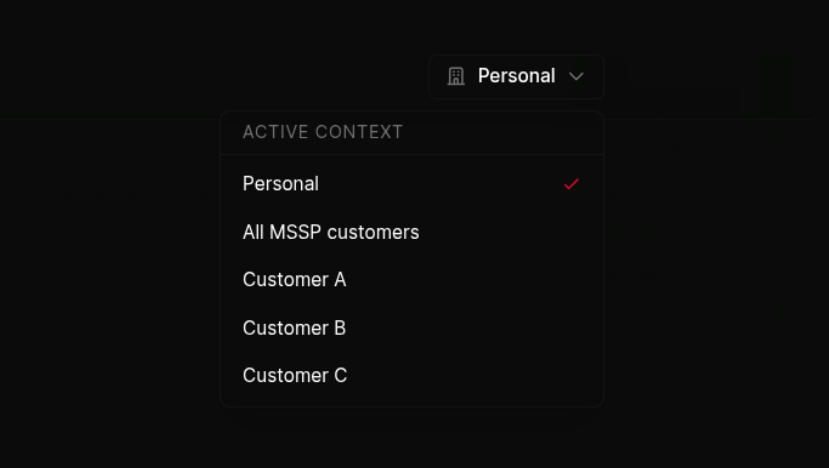
Each feed scoped to one client's assets, vendors and exposures. The analyst on the morning shift opens Client A and sees Client A's world, nothing else.
Feeds inherit the same per-customer scoping the rest of the platform uses, so a workflow fired from a client feed can only route to that client's destinations. Nobody sees what they shouldn't, and that holds without anyone having to remember it.
 click to expand
Why not just set up keyword alerts
Because keyword alerts match strings and this matches entities.
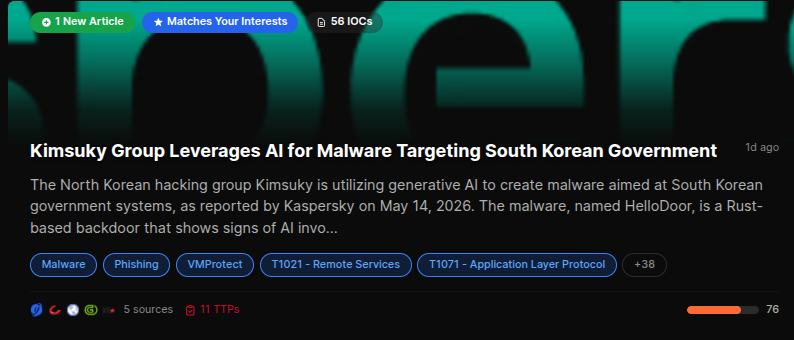
A keyword alert for a vendor name returns every article that mentions it, including forty separate write-ups of the same incident, plus everything using the word incidentally. A feed pinned to that vendor as an entity returns clusters, where every source covering one event has already been grouped into a single record with a timeline, extracted indicators and technique mapping. One thing to read instead of forty.
The difference compounds with scale. Around 900 articles a day across 20,000+ sources become roughly 70 clusters. A keyword tool passes that volume through to you. This does not.
 click to expand
Custom feed FAQ
What is a custom threat intelligence feed?
A filtered view of live threat reporting that only surfaces incidents touching the things you have told it to watch: named threat groups, malware, vendors, products, CVEs, sectors, regions or your own assets.
How do I build one?
Describe it in a sentence. That is parsed into a structured filter against the entity graph, shown to you before it saves, and editable afterwards.
How is a feed delivered?
Email digest, Slack, Teams, RSS, API or webhook, in the platform, or several at once. Frequency is set per feed.
How many feeds can I have?
Multiple feeds per account, scoped per client, per sector or per investigation. Feed allowances vary by plan.
Can I build a feed for a client rather than for my own organisation?
Yes. MSSPs run one feed per client, scoped so that alerts and workflows from that feed route only to that client's destinations.
How is this different from a keyword alert?
Keyword tools match text and return every article. Feeds match entities and return clusters, so twenty sources covering one incident arrive as one record rather than twenty notifications.
More of the platform
- Entity IntelligenceProfile pages for every actor, malware, CVE, and tool
- WorkflowsTriggers, actions, per-customer scoping
- ReportsNotion-style editor with live blocks
- Real-Time ClusteringHow the feed itself is built
- IOCs and ExportsSTIX, MISP, SIEM ingestion
- By industrySector feeds for healthcare, finance, telecoms and more
The feed your team will actually open
Describe what you want to see, pin the entities, pick where it lands. Free to start, no card.