Automate the routine triage.
Analysts should spend time on decisions, not button-clicks. Workflows fire on new clusters, CVE thresholds, KEV listings, or tagged entities. Actions chain into a single flow.
Visual editor. No code.
Drag-and-drop the trigger. Drag-and-drop the actions. Connect them with a line. Set conditions, branch logic, and action sequences visually.
Every workflow is portable. Export as JSON, import into another customer environment, version-control alongside your detection rules. The visual editor compiles to a text artifact you can grep.
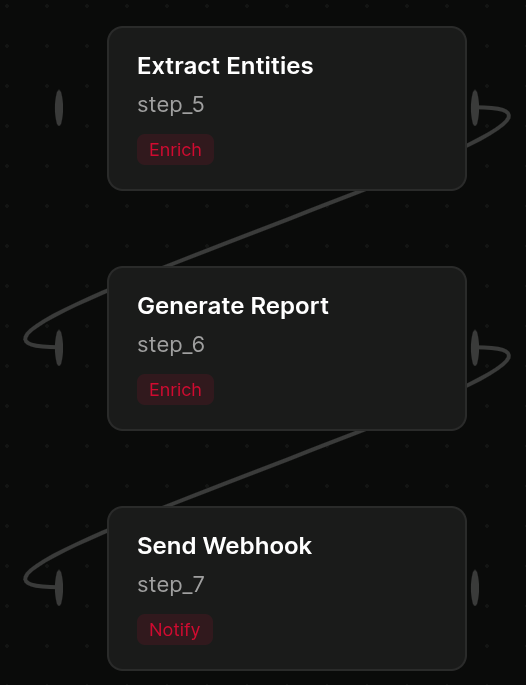 click to expand
Triggers that match how you work.
A new cluster matches your interests. A CVE crosses an EPSS threshold. A tagged entity appears in the feed. A CVE gets added to KEV. Triggers fire per-customer in MSSP environments.
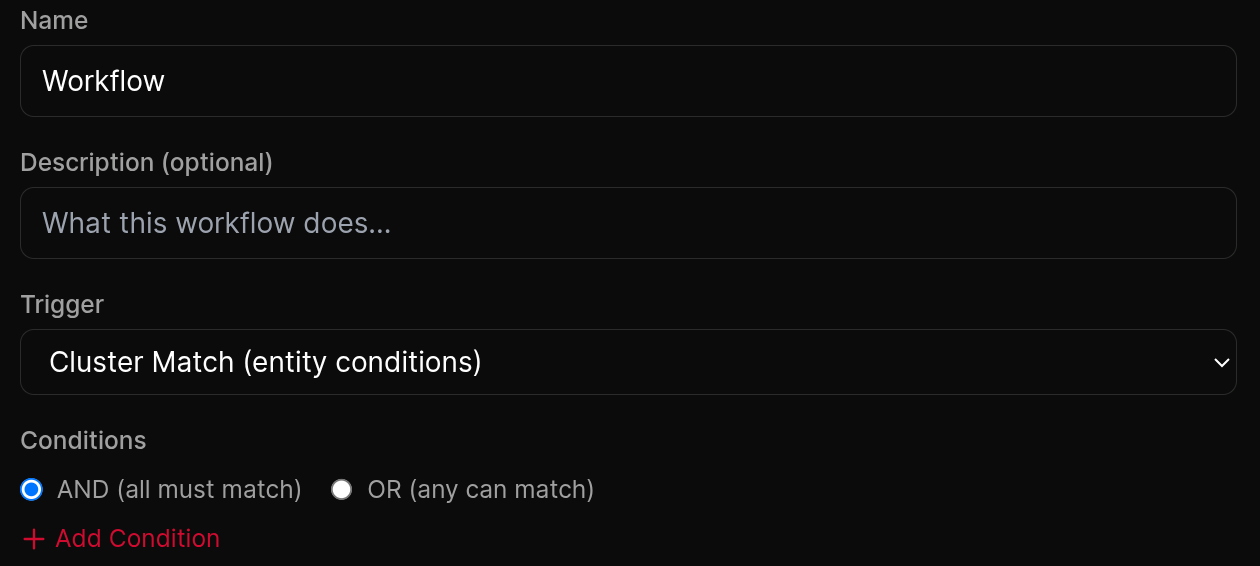 click to expand
Actions for the tools you use.
Notify a webhook. Post to Slack or Teams. Generate an AI summary. Open a ticket in your PSA. Send an email digest. Add to a collection. Chain multiple actions into a single workflow.
Each action carries its own retry policy and timeout. Failures show in the per-workflow audit log with the payload that failed and the response from the destination.
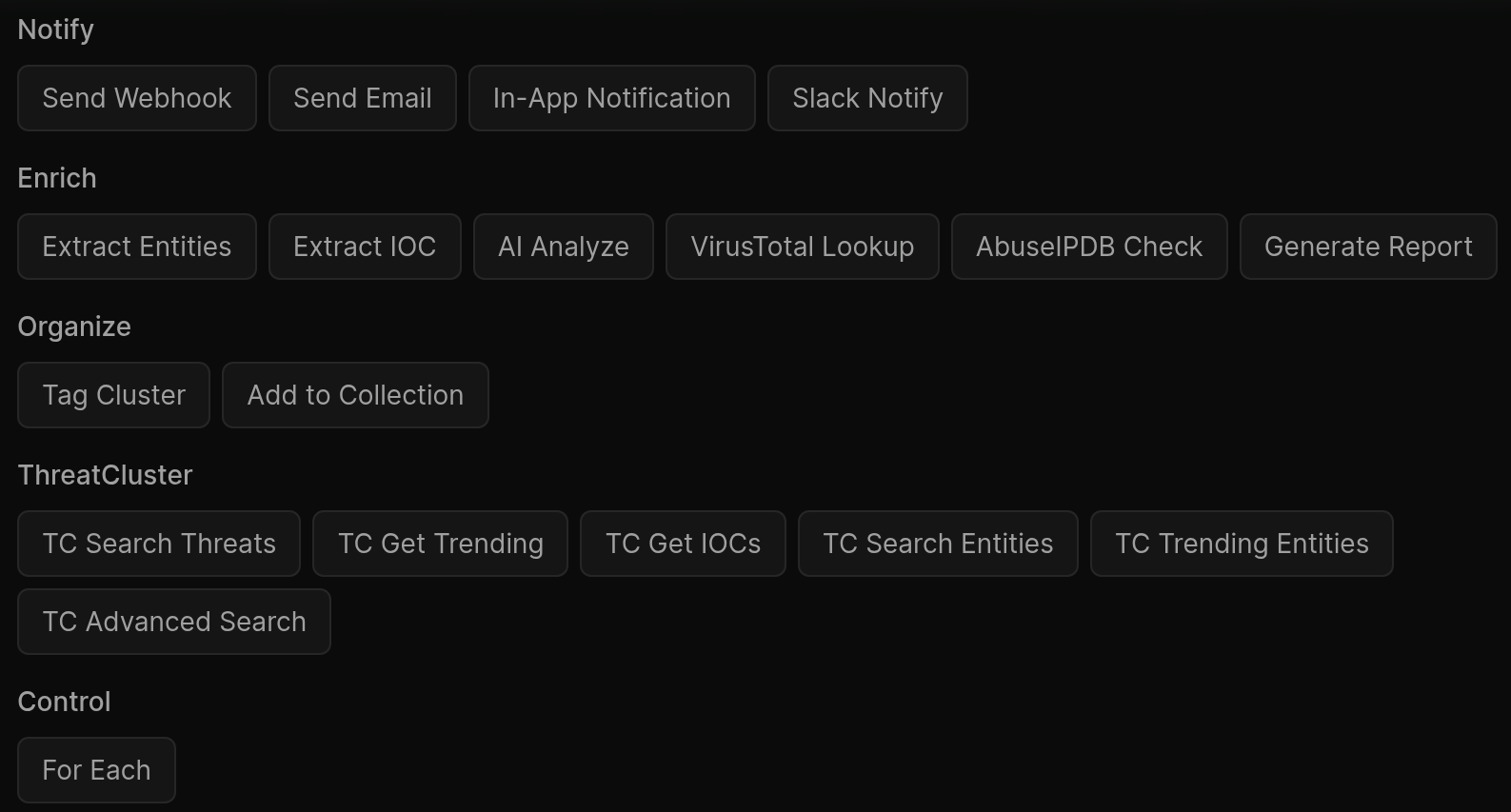 click to expand
Dry-run against historical data.
Before you turn a workflow on, replay it against the last 30 days of clusters and see what would have fired. Spot the noisy trigger before it floods your client's Slack.
Dry-run runs through the full action chain in test mode. No webhook is sent, no ticket is opened. The audit log shows what would have happened with the payload it would have sent.
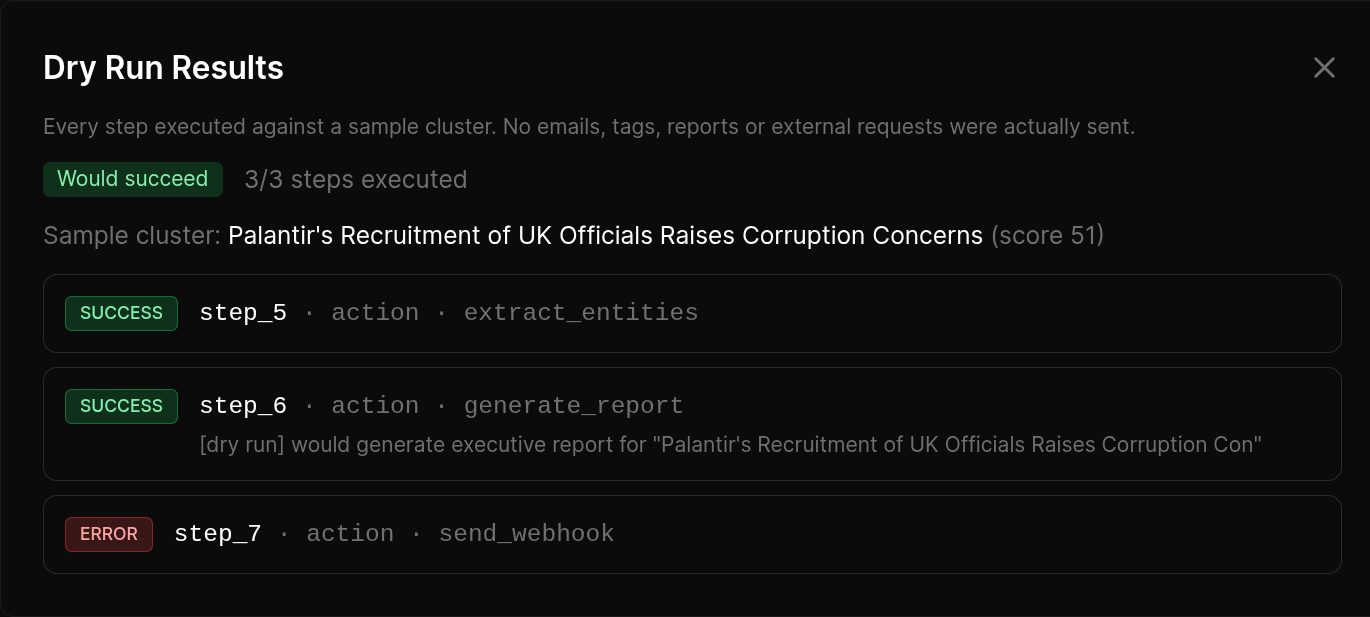 click to expand
Per-customer scoping for MSSPs.
Workflows built under one client only ever fire to that client's destinations. Overlapping triggers don't cross channels, so the right team gets the right alert and nobody sees what they shouldn't.
One place to manage workflows across your entire book. Filter the workflow list by customer, by trigger type, or by status. Disable an entire client's workflows at once for offboarding.
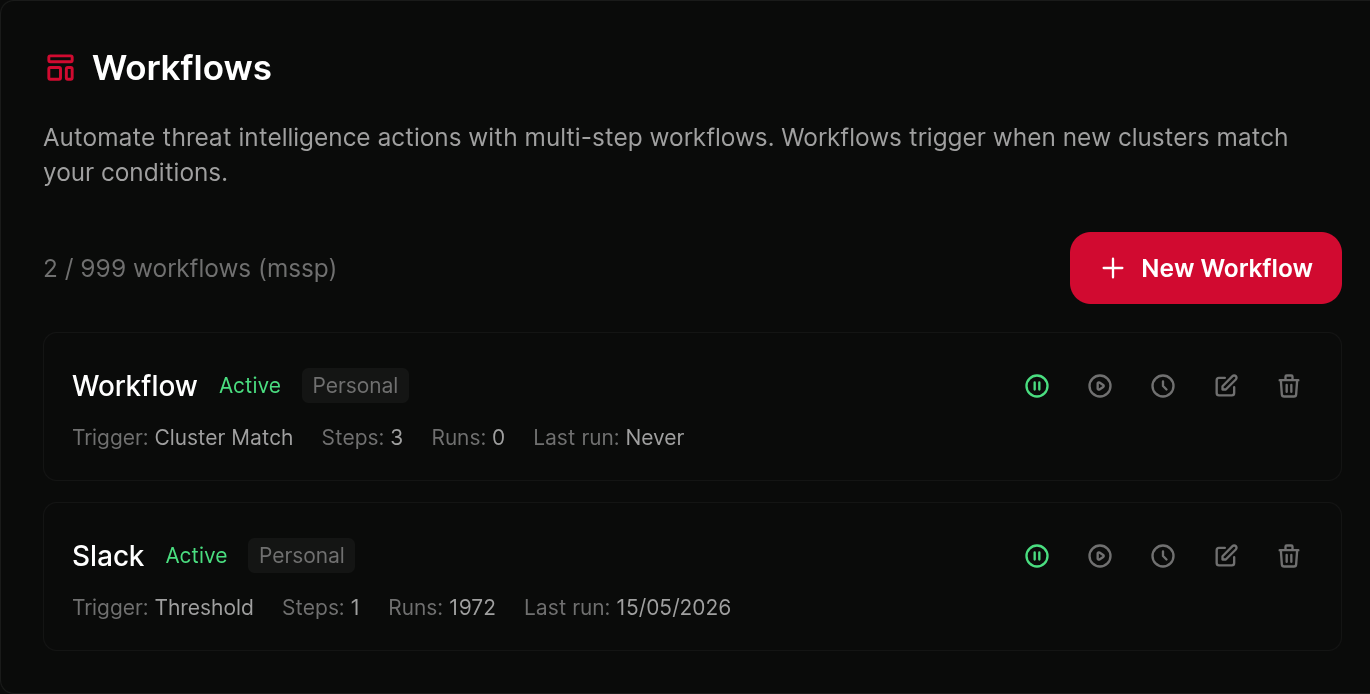 click to expand
More of the platform
- Exposure ManagementAsset inventory ranked by CISA SSVC
- Threat HuntingIndustry threat models with SIEM-ready queries
- Dark Web MonitoringIn-house collection across leak sites and forums
- IOCs and ExportsSTIX, MISP, SIEM ingestion
- ReportsLive, dynamic, white-labelled reports
- For MSSPsPer-customer scoping across the platform
Workflows FAQ
What can workflows automate?
Routine triage: a trigger (a new cluster, an entity match, a threshold) fires actions (send to Slack or Teams, open a ticket in your PSA, export IOCs, run a report) without anyone touching it.
Can I test a workflow before it goes live?
Yes. Dry-run any workflow against the last thirty days of history to see exactly what it would have fired on, so you spot a noisy trigger before it floods a client's Slack.
How does it work for MSSPs?
Workflows inherit per-customer scoping, so a workflow fired from a client's context only ever routes to that client's destinations. The right team gets the right alert.
Do I need to write code?
No. It is a visual editor. Workflows also export as JSON, so what the editor builds is something you can version, grep and review.
Which systems can it send to?
Slack, Teams, email, webhooks, PSA ticketing and the SIEM via IOC export, among others. Name the systems you run and we can confirm coverage.
Stop clicking through the same alert chain.
Build it once in the visual editor, dry-run it against the last 30 days, turn it on. Per-customer scoping for MSSPs, full audit log per workflow.