Reports that stay current.
Threat reports go stale on the day you write them. ThreatCluster reports are live. Dynamic blocks re-fetch on every render, so a weekly brief you built six months ago opens with this week's activity.
Notion-style editor.
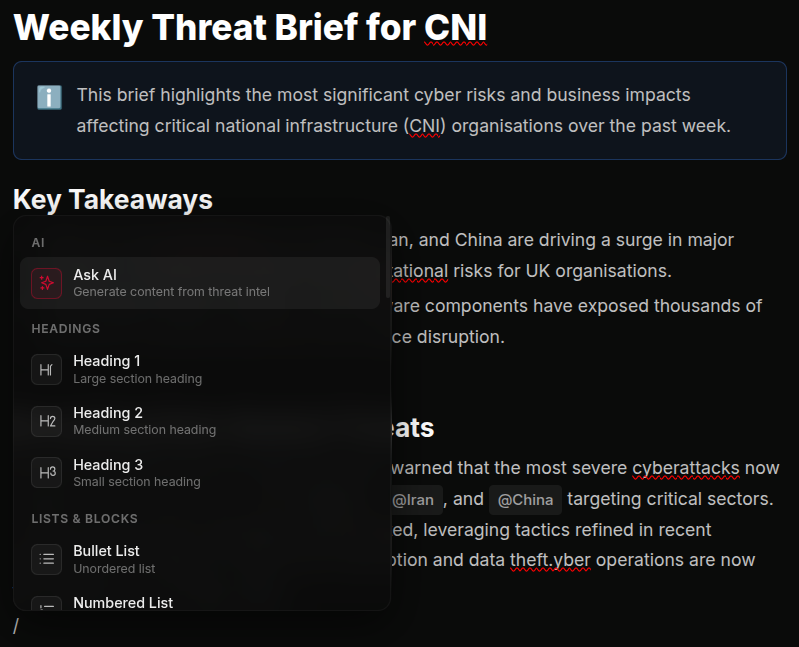
Familiar block editor. Headings, lists, paragraphs, quotes, code, images, the same building blocks any analyst already knows. Slash commands open the block picker. Drag to reorder.
Every report block carries a stable ID, so reorders and edits don't break the underlying data refresh. Save, close, come back tomorrow, the report is exactly where you left it.
 click to expand
Dynamic content blocks.
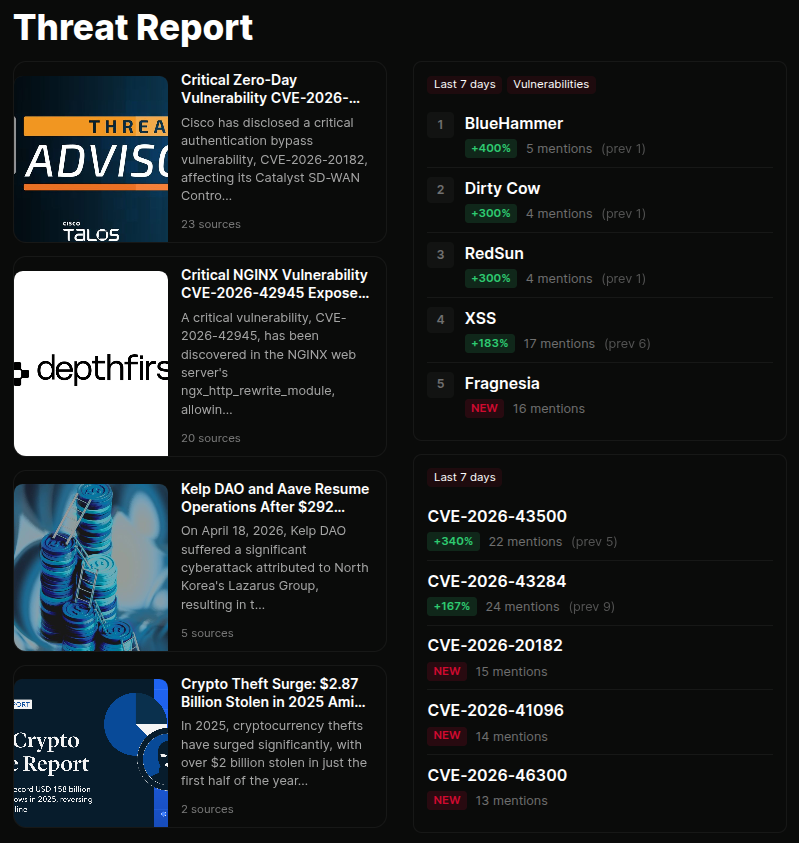
Drop in blocks that stay in sync with your live data. Threat feed, dark web activity, CVE watch, trending entities, key statistics, trend charts, breakdowns by region or sector, AI-generated narrative sections.
Every block re-fetches at render time. A weekly brief you built six months ago reports on this week's activity. Set it up once, it stays current.
 click to expand
Pick a layout.
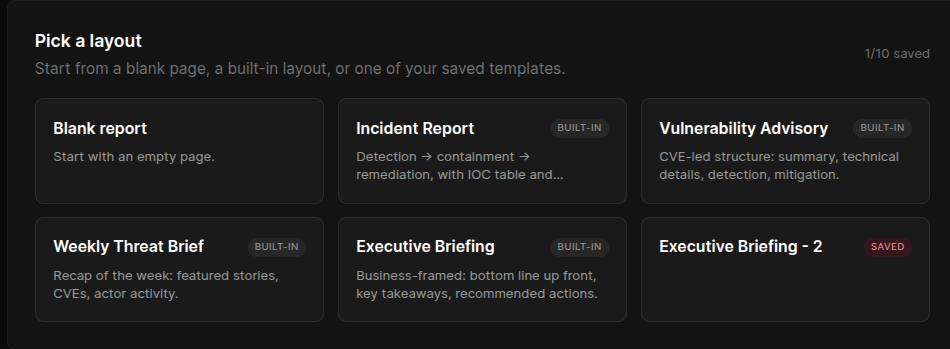
Built-in templates for executive briefings (business-framed, KPI-led, low jargon), technical deep-dives (IOC tables, CVSS / EPSS, MITRE mappings, detection guidance in Sigma / KQL / SPL), incident reports (timeline-driven, evidence-anchored), and MSSP customer briefings (white-labelled, scoped to the client's estate).
Save your own layouts and reuse them. New report from a saved template starts pre-populated with the blocks and structure you've already validated with stakeholders.
 click to expand
Sharing modes for every audience.
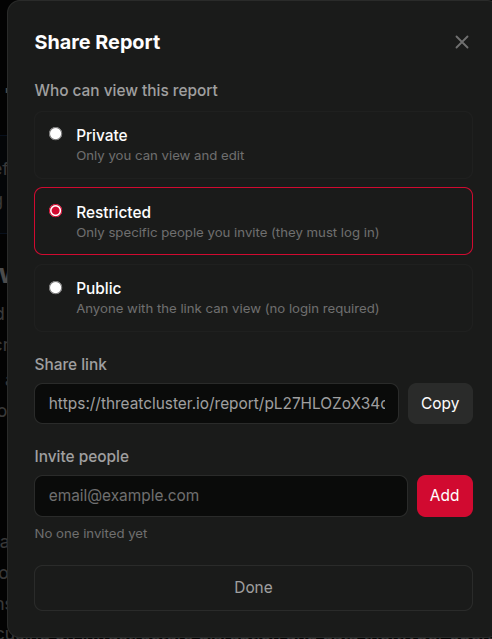
Private drafts visible only to the author. Restricted access by invited email (login required). Public web URL with no login required. PDF export, Markdown / HTML export, or direct email send.
Customer-scoped reports prompt for confirmation before going public, so a client briefing doesn't get accidentally exposed via a shareable link.
 click to expand
White-label and scheduled delivery.
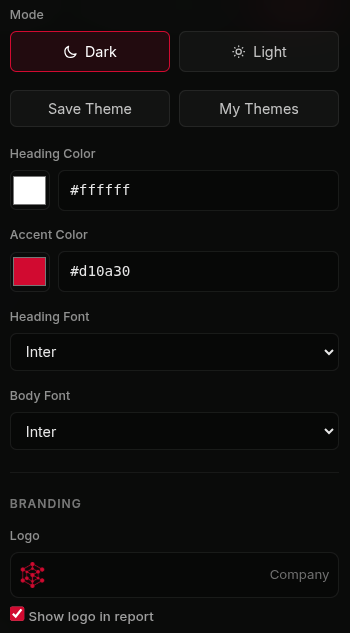
Tag a report with a managed customer and the customer's name, logo, brand colours, and contact details replace ThreatCluster's everywhere. Rendered HTML, PDF headers, email from-line. One analyst, ten branded briefings on a Monday morning.
Schedule delivery daily, weekly, monthly, or quarterly. Pick a time of day, pick recipients, pick whether to send a viewable link or a PDF attachment. Reports re-render at send time so what lands in the inbox is current.
 click to expand
See a sample
The clearest way to judge the output is to read one. Our quarterly threat intelligence report is built and published from the same engine described above.
More of the platform
- Exposure ManagementAsset inventory ranked by CISA SSVC
- Threat HuntingIndustry threat models with SIEM-ready queries
- Dark Web MonitoringIn-house collection across leak sites and forums
- IOCs and ExportsSTIX, MISP, SIEM ingestion
- WorkflowsTriggers, actions, per-customer scoping
- For MSSPsPer-customer scoping across the platform
Reports FAQ
What is the report engine?
A Notion-style editor with dynamic content blocks that re-fetch live data every time the report is rendered, so a weekly brief you built months ago opens with this week's activity.
Can reports be white-labelled?
Yes. Tag a report with a managed customer and their name, logo, brand colours and contact details replace ThreatCluster's across the rendered HTML, PDF headers and email from-line.
Can I schedule delivery?
Yes. Schedule daily, weekly, monthly or quarterly, choose recipients, and send a viewable link or a PDF. Reports re-render at send time so what lands is current.
Is there a sample report?
Yes. The quarterly threat intelligence report is built and published from the same engine, and is linked on this page.
What formats can reports be exported as?
PDF, HTML and Markdown, with customer-scoped reports gated behind a confirmation prompt before anything goes public.
Stop rewriting last week's report.
Set up the report once, schedule it, and let the dynamic blocks do the refresh. White-label per customer for a Monday morning that doesn't start with a copy-paste.