Ransomware monitoring: get told when a company you watch is listed
Ransomware groups post their victims on leak sites, often before the victim has said anything. Ransomware monitoring watches those sites for the companies you care about: your own, your suppliers, your clients. When one is listed, you get an alert. It is included from Starter.
Add a watchHow matching worksYour watchesWhen one is listedLimits
1. Add a watch
Open Settings → Ransomware monitoring. Type a domain (acme.com) or a company name (Acme Holdings). ThreatCluster tells you which it will watch it as; change Match on if it guessed wrong.
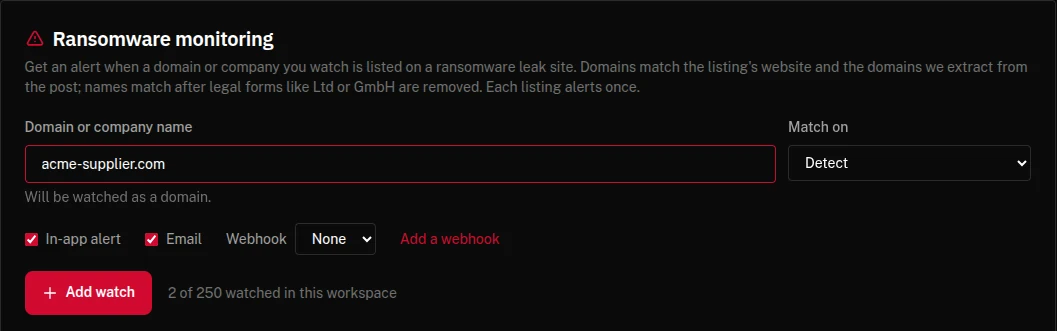
Choose where the alert goes: in the app, by email, on a webhook, or any mix. Webhooks are set up under Settings → Webhooks (Slack, Microsoft Teams, Discord or plain JSON). Then Add watch.
Start with your own domain, then add the suppliers you could not work without: your MSP, payroll, accountants, logistics, the SaaS you run on.
How matching works
- Domains match the website on the listing and the domains ThreatCluster extracts from the post itself. Use a domain when you have one: it is the most reliable match.
- Company names match after legal forms such as Ltd, Inc or GmbH are removed, so "Northwind Logistics Ltd" also finds "Northwind Logistics". Pick a name distinctive enough that it is not part of other companies' names.
- Each listing alerts once, however many of your watches it matches.
2. Your watches
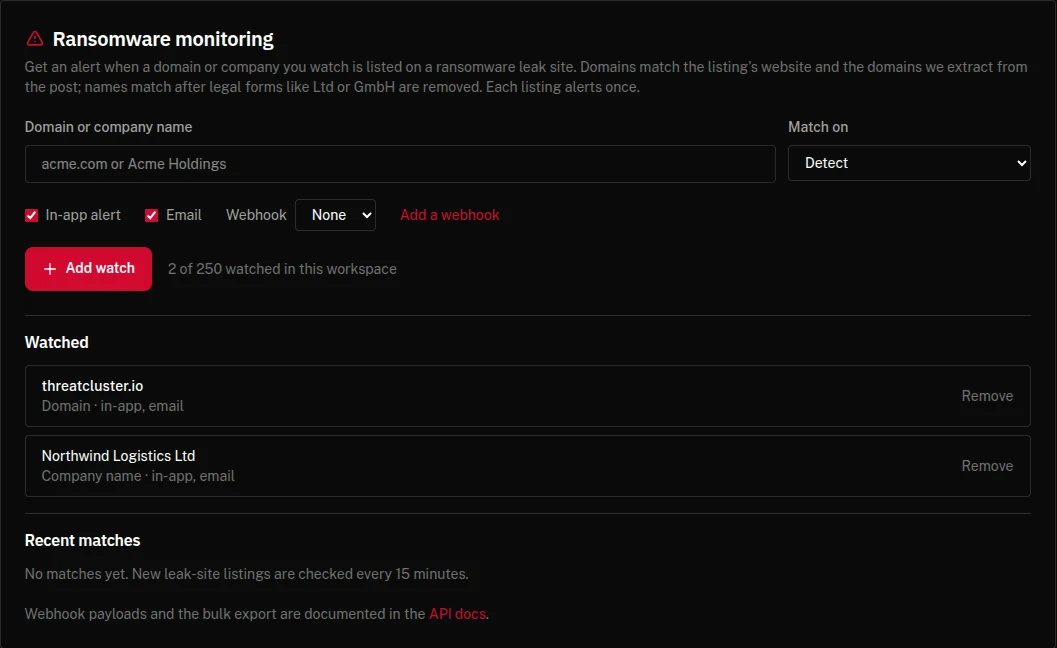
Remove stops a watch. Matches stay listed under Recent matches, with the group, when it was listed, which watch it matched and how confident the match is.
3. When one is listed
ThreatCluster collects leak-site listings around the clock, and checks new ones against your watches every 15 minutes. A match arrives where you chose: in the bell and alert inbox, as an email, or as a webhook post. Each links to the listing: the group, when it was posted and what was claimed.
A listing is the group's claim, not a confirmed breach. Groups list companies to put pressure on them; some claims are exaggerated and some are about a different company with a similar name. Check the listing before you act on it, and contact the company through a channel you already trust.
Limits and customers
Starter watches 10 domains or names, Growth 100 and Business 250, plus 250 for each managed customer. On Business, switch to a customer first (see Customer feeds) and the watches you add belong to that customer, with their own alerts.
For a broader view of who is being listed, by group, sector and country, see the dark web pages or track leak sites from the API. For a rule across all listings (for example every UK healthcare listing), use a dark web alert rule. Watches, webhook payloads and the bulk export are in the API reference.