Customer feeds: set up a managed customer with its own feeds and alerts
If you provide security services to other organisations, each one can have its own workspace in ThreatCluster: its own watches, feeds, alert rules, asset list and ransomware monitoring, all from your one account. Managed customers are part of the Business plan, at $59 a month for each customer.
Add a customerSwitch to itWhat it watchesMore feedsAlerts, digests and keys
1. Add the customer
Open Settings → Customers and choose Add Customer. Only the name is required. Add their domain so ransomware monitoring and digests know who they are, and a contact email and notes for your own records.
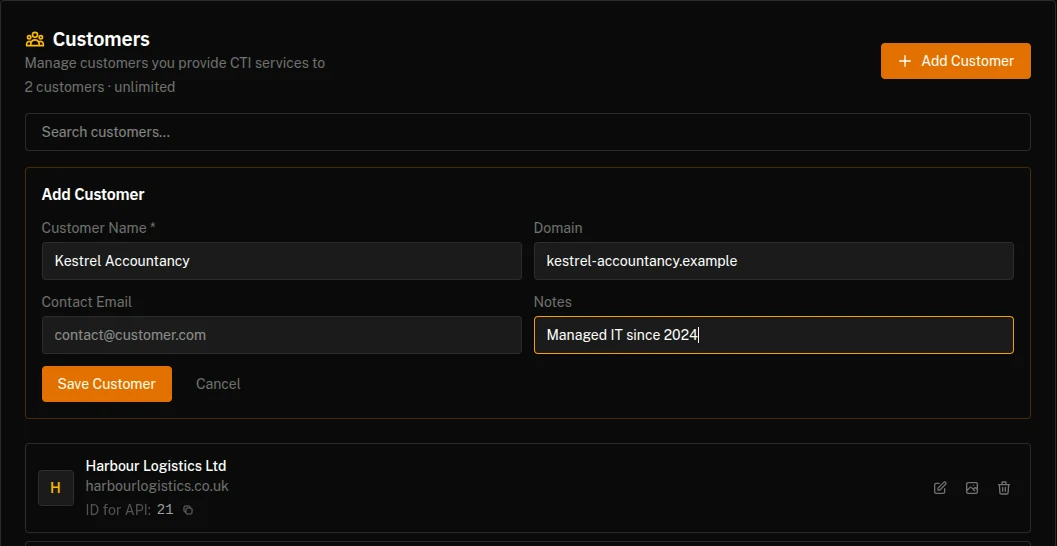
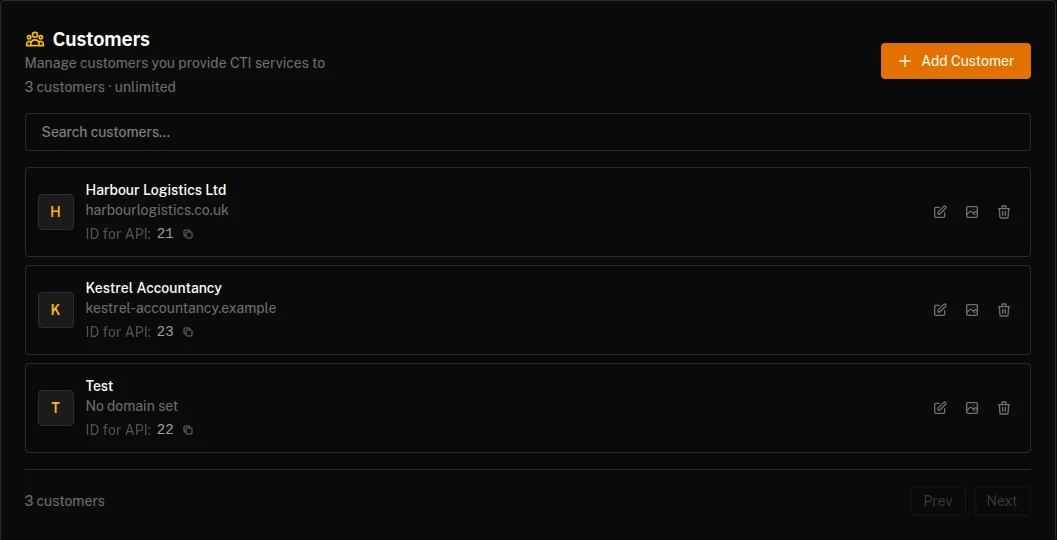
Saved customers are listed with their ID for API, the number you pass as customer_id to work on that customer over the API. The icons on each row edit the details, upload the customer's logo for branded digests, and delete the customer.
2. Switch to the customer
Open the menu under your avatar. Viewing as lists Personal, All customers and each of your customers. Pick the customer.
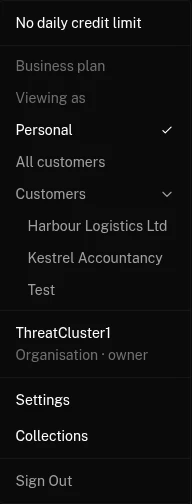
The header now shows the customer's name. Everything you add from here, in My Feeds, Alerts and Ransomware monitoring, belongs to this customer until you switch back to Personal. All customers shows everything at once but is read-only: pick one customer to change anything.

3. Set what the customer watches
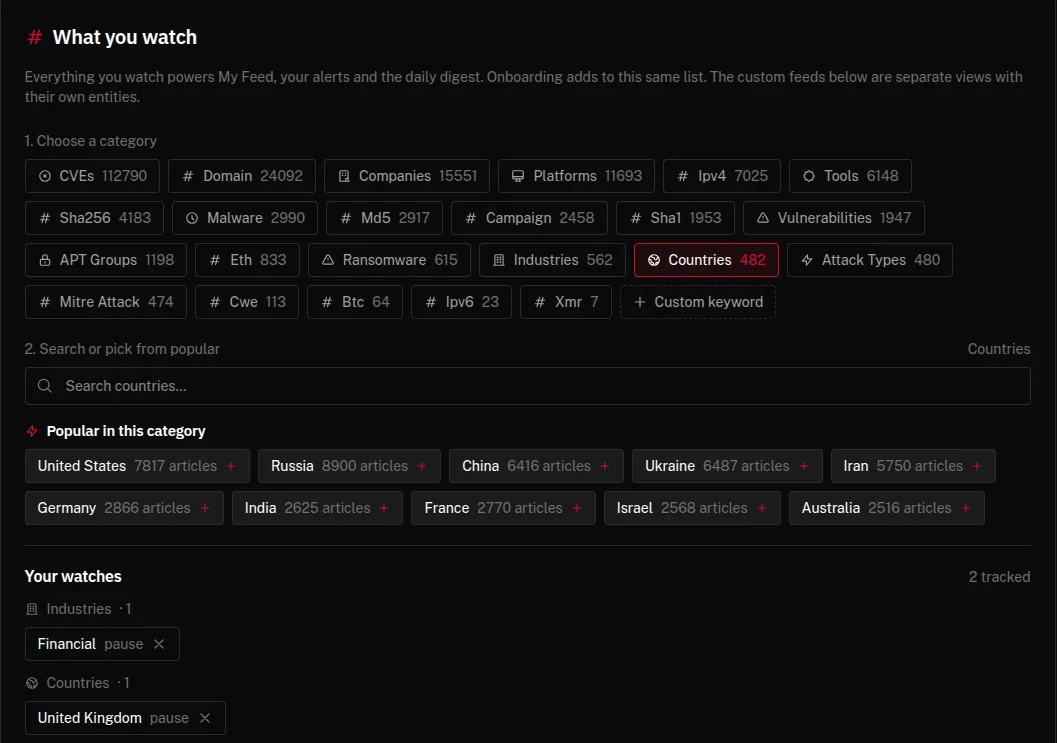
In Settings → My Feeds, What you watch is now the customer's default feed. Choose a category, then search or pick from the popular entries: the customer's sector and country, the products they run, their suppliers, the ransomware groups that hit firms like them.
4. Add more feeds
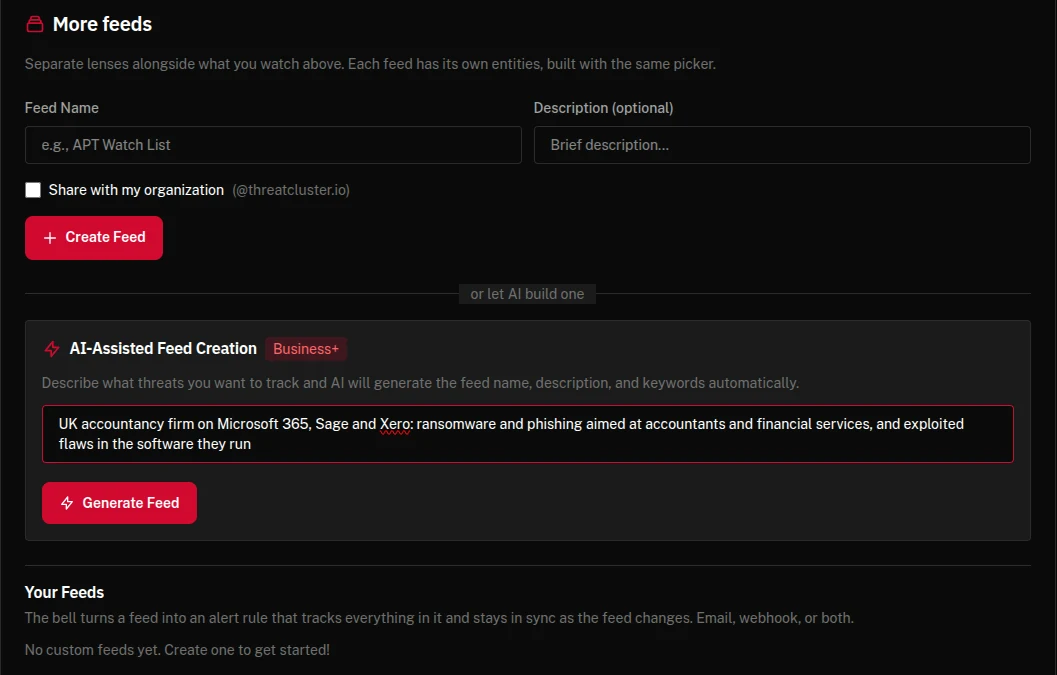
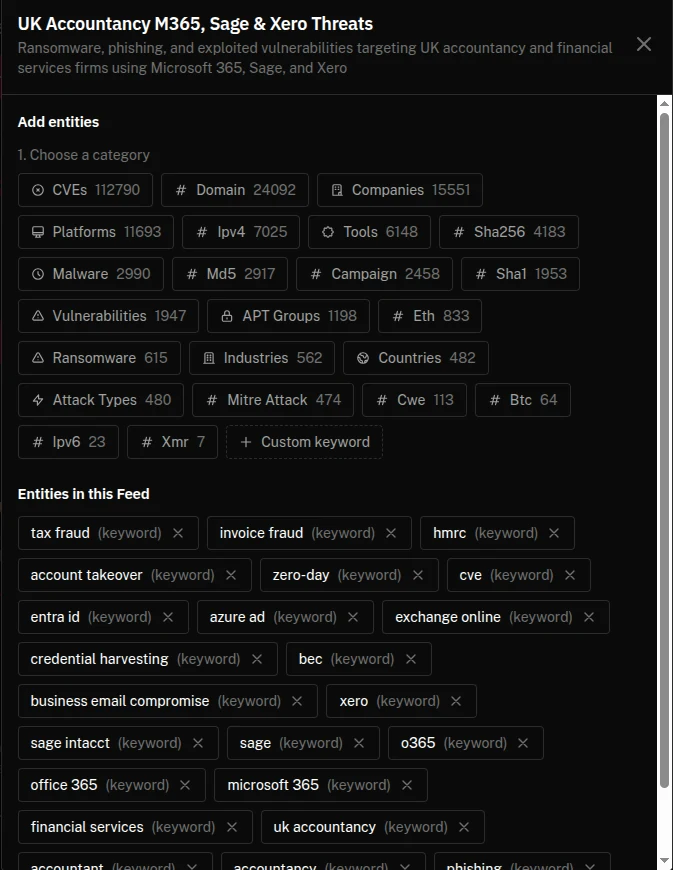
Under More feeds you can give the customer separate views alongside its default feed: one per site, per team, or per topic. Name a feed and choose Create Feed, then add entities to it with the same picker. Or describe what you want and let AI-Assisted Feed Creation name it and fill in the keywords.
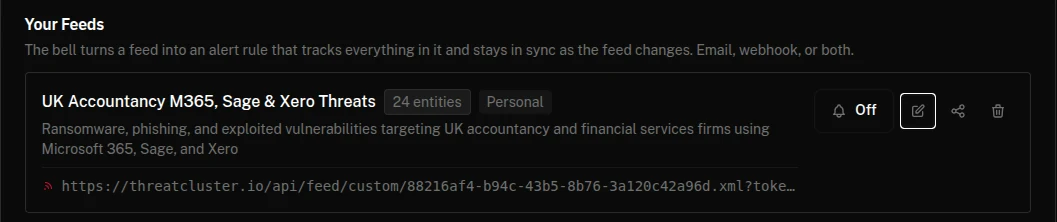
The feed appears under Your Feeds. Open it to review the entities and keywords, remove anything too broad, and add the customer's own products or suppliers.
5. Alerts, digests and keys
- Alerts. The bell on a feed turns it into an alert rule that follows the feed. Rules you build under Alerts while switched to the customer are the customer's. See Alerts.
- Asset list. Import the customer's RMM export under My Assets for alerts on their software. See My Assets.
- Ransomware monitoring. Watch the customer's domain and their key suppliers, 250 per customer. See Ransomware monitoring.
- Branded digests. Under Feed Digest Subscriptions on the Customers page, send a daily digest from a customer's feed to their people, with their logo.
- API keys. Mint a key bound to one customer from its row on the Customers page. A bound key only ever sees that customer's feeds and alerts, which makes it safe to put in the customer's own tools.
To work on your own account again, switch back to Personal in the avatar menu.