Getting started: what happens after you sign up
After you sign up, ThreatCluster asks one question and then sets you up for the answer. Both paths start free, take a couple of minutes, and you can do the other one later.
The first questionWatch your stackBuild with the APIAfterwards
1. What are you here for?
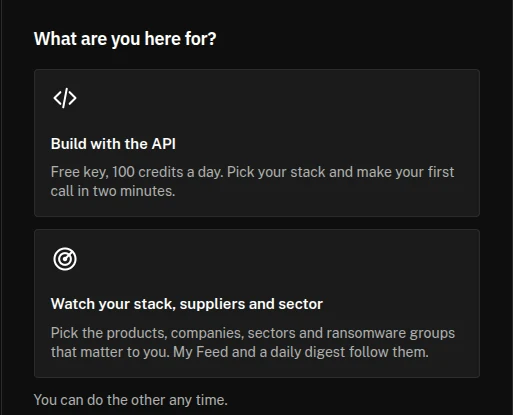
- Watch your stack, suppliers and sector if you want to read: a feed of the security news that touches you, a daily digest, and alerts.
- Build with the API if you want the data in your own tools: a SIEM, a script, an AI agent or an automation.
2a. Watch your stack, suppliers and sector
If we can read your company's website from your email domain, the first screen suggests watches for you: your company, your products, your sector and country. Untick anything that is wrong, or use another website.
Then pick what matters to you. The picker shows the most active products, suppliers, sectors, countries and ransomware groups with how often each is in the news, and a search box covers over 150,000 more: products, companies, threat actors, malware, campaigns and CVEs.
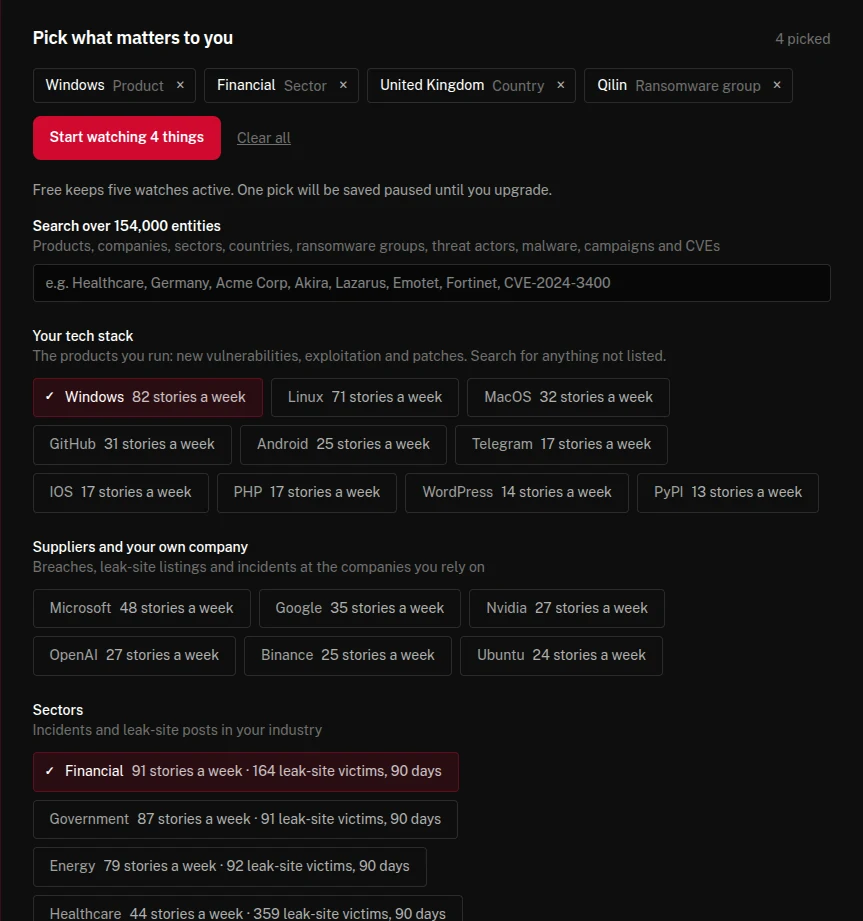
Choose Start watching. My Feed now shows the stories that match your picks, and the daily digest emails them each morning. The free plan keeps five watches active; anything beyond that is saved, paused, until you upgrade.
You can change your watches at any time under Settings → My Feeds, and add alerts, an asset list or ransomware monitoring when you are ready.
2b. Build with the API
The API path is five short steps, shown along the top of the page.
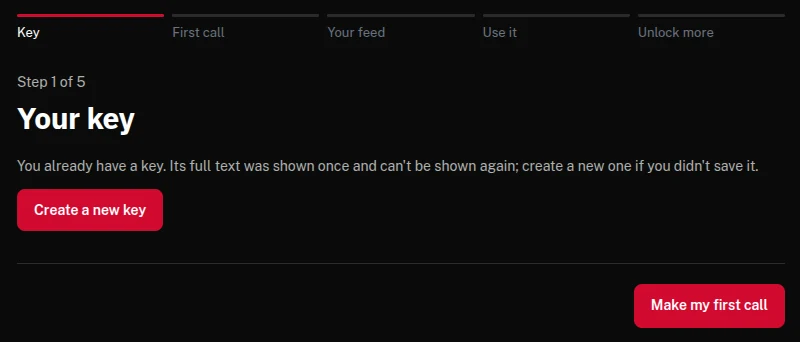
Step 1, your key. A free key is created for you and shown once. Copy it somewhere safe. If you lose it, create a new one here or under Settings → API.
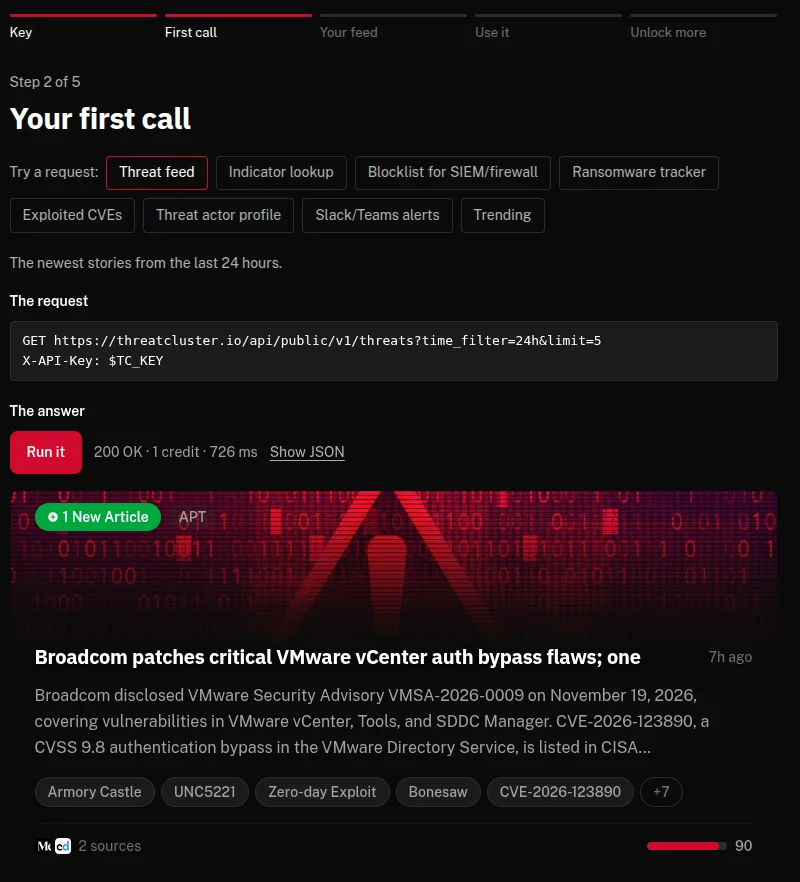
Step 2, your first call. Pick a request: the threat feed, an indicator lookup, a blocklist for a SIEM or firewall, the ransomware tracker, exploited CVEs, a threat actor profile, Slack or Teams alerts, or what is trending. You see the request, Run it to see the answer, then copy it as curl or Python.
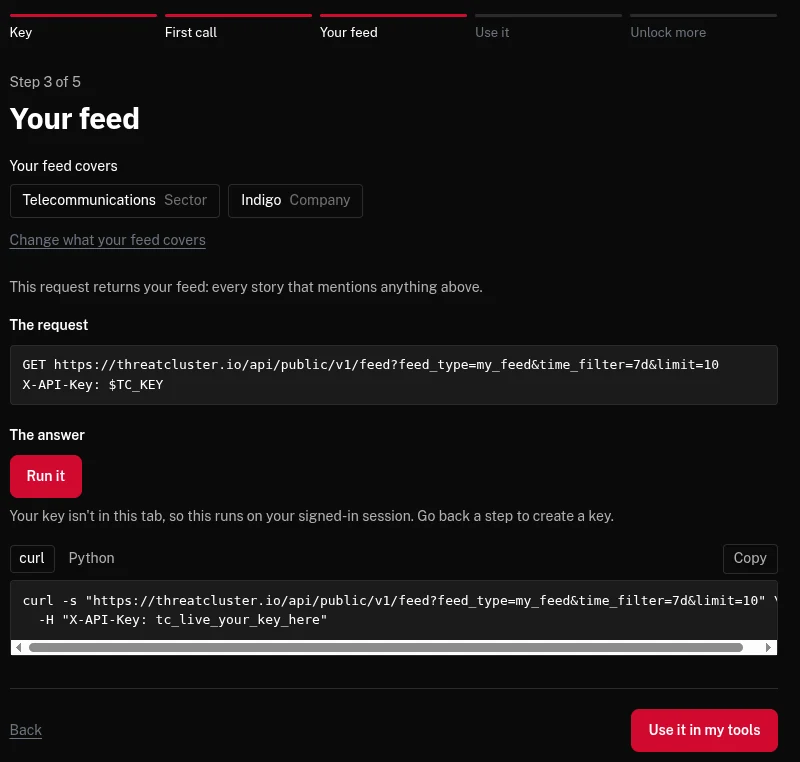
Step 3, your feed. Pick a few things to watch, as on the other path, and see the request that returns only the stories about them.
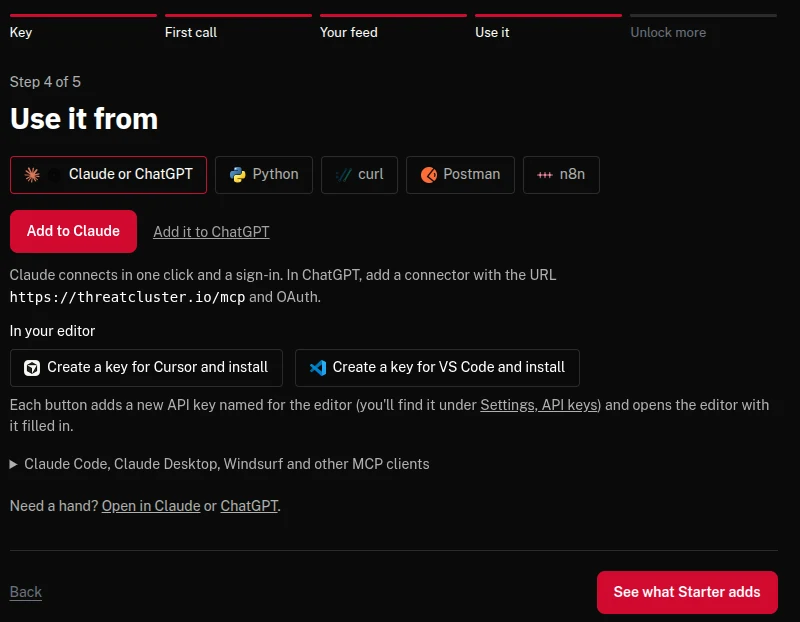
Step 4, use it from your tools. Connect Claude or ChatGPT in one click, install in Cursor or VS Code with a key made for the editor, or copy the code for Python, curl, Postman or n8n.
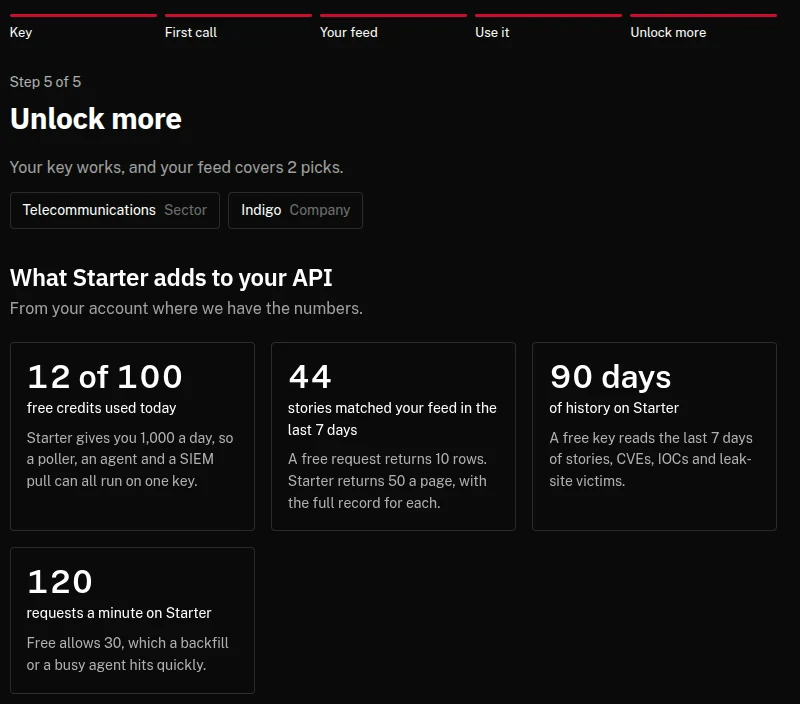
Step 5, unlock more. On a free account, the last step shows what Starter would add, worked out from your own usage: credits, rows per request, history and rate limits. On a paid plan it points you to what to build next.
Afterwards
- Come back to onboarding at any time to take the other path, or to start your watches again from scratch.
- Get told when something matters: alerts, your asset list and ransomware monitoring.
- Running security for clients? Set up a workspace for each one: customer feeds.
- Building more? The API reference has every endpoint, and get started has code for your stack.