Threat intelligence API / integrations
Claude
Give Claude live threat intelligence: clusters of breaking incidents, IOCs with confidence and reasons, CVE records with KEV and exploit status, and ransomware leak-site victims. On claude.ai the quickest route is the ThreatCluster connector in the Claude directory: one click, sign in with your ThreatCluster account, and Claude has ten read-only tools. Claude Code can also call the tc CLI or the REST API directly; a free key covers all 5 read scopes.
Directoryclaude.ai/directory/threatclusterConnector URLhttps://threatcluster.io/mcp
Connect from the Claude directory
No key to copy and nothing to install. The connector signs you in with OAuth, so Claude calls the API as you, against your own credits and tier. A free account is enough: 100 credits a day and a 7-day lookback.
- Open ThreatCluster in the Claude directory (or Customize → Connectors → Discover and search for ThreatCluster) and select Connect to Claude.

The listing shows the ten tools, the connector URL and that sign-in is required. - Sign in to ThreatCluster and accept. The only permission requested is offline access, which lets Claude refresh its token without asking you again.
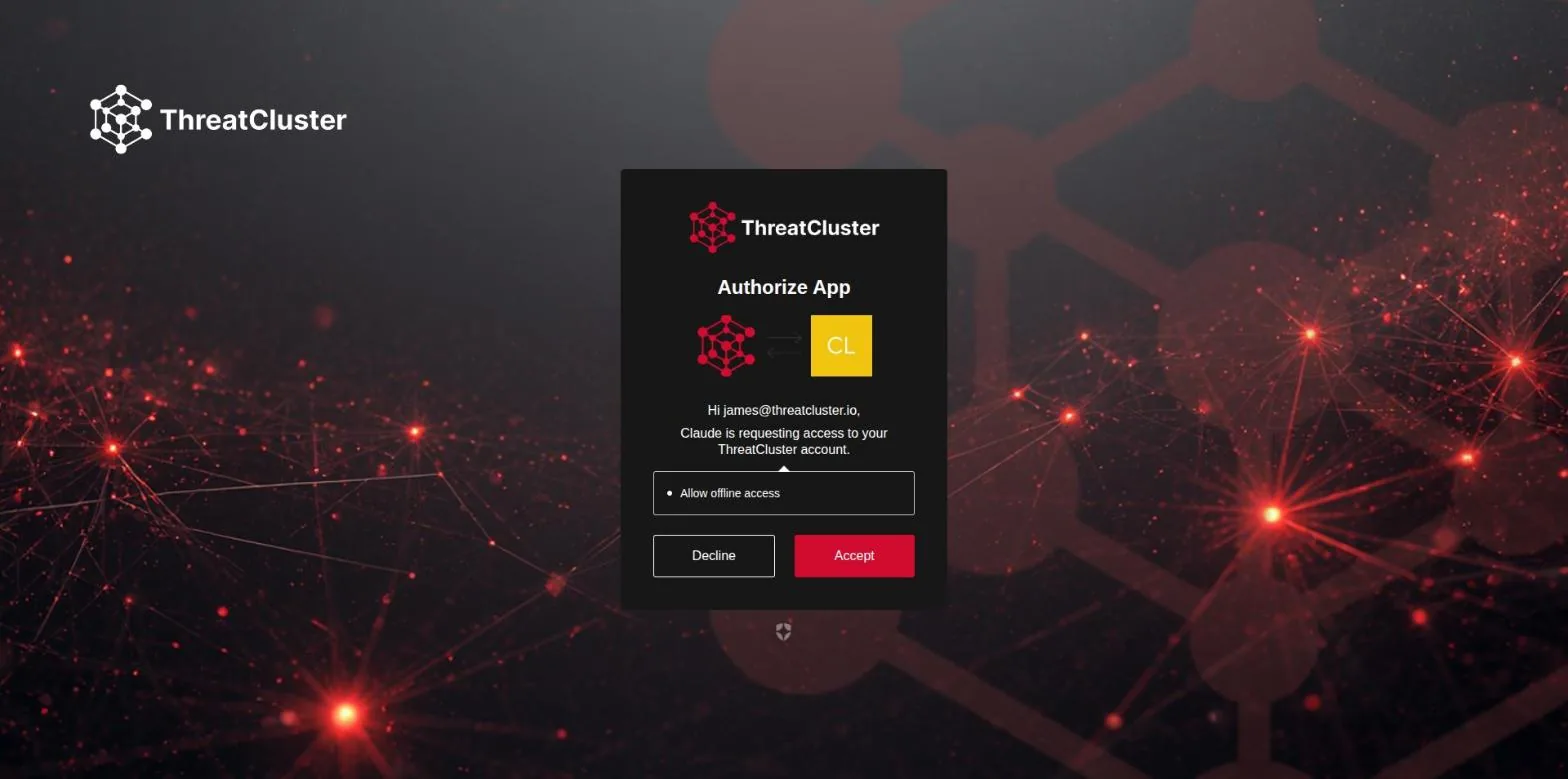
The consent screen. Decline any time later from Customize → Connectors. - You are sent back to the directory with the connector marked Connected.

Connected. From here every new chat can use the tools. - Ask a question that needs live data. The first time Claude reaches for a ThreatCluster tool it asks you to allow it; Always allow stops the prompt for that tool.
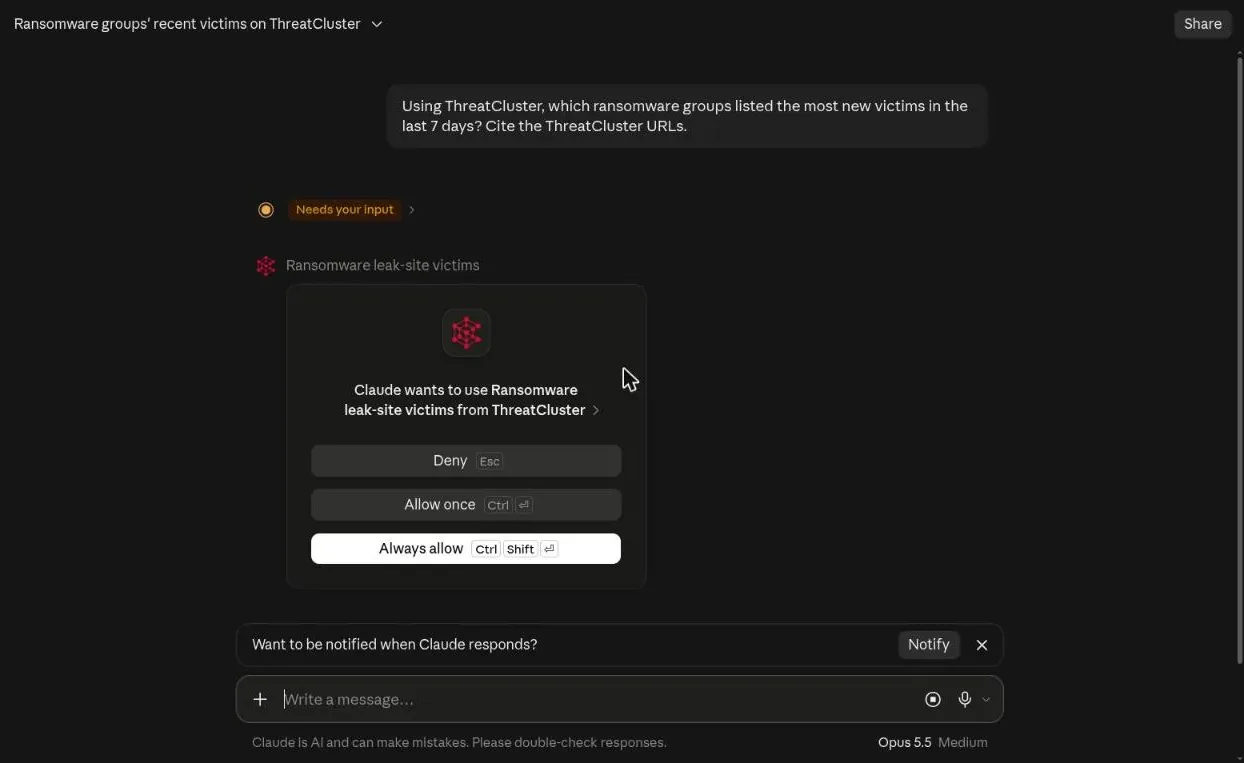
The prompt was "Using ThreatCluster, which ransomware groups listed the most new victims in the last 7 days? Cite the ThreatCluster URLs." - Claude answers from the record, with a URL for every claim that you can open.

215 listings in the window, Cl0p first with 23, each group linked to its ThreatCluster page. The answer also carries the caveat that listings are the groups' own claims.
Tools available through the connector: search incident clusters, search everything, newest threats, get a threat with its sources and validated indicators, leak-site victims with a tally by group, sector and country, look up an entity, get a vulnerability with KEV, EPSS and exploit status, exploited vulnerabilities in a window, trending entities, and your API budget. All read-only. The MCP server guide has the same tools for Claude Desktop, Claude Code, Cursor and other clients.
Prerequisites
- A ThreatCluster account (Free works) and an API key from Settings → API. The key is sent in the
X-API-Keyheader. - Base URL:
https://threatcluster.io/api/public/v1 - For the CLI route: Python 3.10+ and
pipx.
A free key gets 100 credits per day, 30 requests per minute, a 7-day lookback window, and the read scopes threats:read, iocs:read, entities:read, vulns:read and darkweb:read.
Setup: Claude Code
Claude Code runs shell commands, so the simplest integration is the ThreatCluster CLI. Once installed, Claude uses it like any other tool.
- Install the CLI:
pipx install threatcluster-cli
- Authenticate once:
tc auth login
- Ask Claude Code a question that needs live data, for example: "an alert just came in mentioning CVE-2024-3400, check ThreatCluster and pull the IOCs from the top cluster". Claude runs
tc vulns get,tc searchandtc threats iocsitself and reads the JSON. - Optional: cap what a session can do with the CLI's environment variables.
TC_SCOPESnarrows scopes (for exampleTC_SCOPES=threats:read,iocs:read) andTC_MAX_REQUESTScaps how many requests the session can make before it hits 429.
No CLI needed if you prefer plain HTTP: export your key as an environment variable and Claude Code can call the API with curl, as in the worked example below.
MCP: ThreatCluster serves an MCP endpoint at https://threatcluster.io/mcp — nothing to install. In Claude Code: claude mcp add --transport http threatcluster https://threatcluster.io/mcp --header "X-API-Key: tc_live_…". It exposes ten tools (threat search, newest threats, cluster detail with IOCs, leak-site victims, entity and CVE lookups, trending, and a budget check) with the credit cost of every call reported back to the model. Setup, Claude Desktop config and the tool table are on the MCP server page. Everything below also works without MCP, through the API directly.
Worked example
One search call answers "what do we know about this CVE" across clusters, entities and the dark web. /search takes q, plus optional limit, days and include_articles.
curl -H "X-API-Key: $TC_API_KEY" \
  "https://threatcluster.io/api/public/v1/search?q=CVE-2026-46037"
Response, trimmed (the full cluster record also carries ai_summary, slug, keywords and severity_score):
{
  "query": "CVE-2026-46037",
  "clusters": [
    {
      "short_id": "cebb7ea4",
      "cluster_id": "da662236-d210-4fa9-8968-7b30cebb7ea4",
      "ai_title": "Multiple SUSE Kernel RT Security Updates Address Critical Vulnerabilities",
      "urgency_level": "medium",
      "threat_score": 67.25,
      "article_count": 40
    }
  ],
  "entities": [
    {
      "entity_type": "cve",
      "entity_value": "CVE-2026-46037",
      "cluster_count": 4,
      "article_count": 15
    }
  ],
  "darkweb": [],
  "limit": 10,
  "total": 2
}
Chain the short_id into the detail endpoints: /threats/cebb7ea4, /threats/cebb7ea4/iocs, /threats/cebb7ea4/stix.
Budgets for agents
Free keys spend a daily budget of 100 credits. Most requests cost 1 credit, /search costs 5, IOC and STIX pulls cost 3, and a dark-web victim enrichment costs 10. Every response carries X-Request-Cost, and budgeted tiers also get X-RateLimit-Limit, X-RateLimit-Remaining and X-RateLimit-Reset, so an agent can read the headers and pace itself. An exhausted budget returns 429 daily_budget_exceeded with a Retry-After header; the correct agent behavior is to stop and retry after that many seconds. A request that finds nothing refunds its credits and returns X-Request-Cost: 0, so speculative lookups are cheap.
For unattended setups, mint a scoped tc_agent_ key instead of handing an agent your personal key. It exchanges at POST /api/auth/agent/token for a bearer token that expires after 15 minutes, and supports per-session request caps and scope downgrade. Details at /cli.
Full endpoint reference: /api/public/v1/docs. CLI and agent keys: /cli. Plans and credits: /pricing.