Threat intelligence API / integrations
Suricata
Suricata has a reputation feature built for lists of addresses. Load the ThreatCluster IP feed as a reputation list and two rules raise an alert for any traffic to or from an address on it. The feed is a public text file, so this needs no API key.
Prerequisites
- Suricata with a rules directory you can write to. The screenshots are from Suricata 8.0.7, run in Docker on 29 September 2026.
- The feed address:
https://threatcluster.io/api/iocs/public/ips.txt
Setup
Create a category file. The number is the category id, the short name is what rules refer to.
echo "1,ThreatCluster,Confirmed malicious address from the ThreatCluster feed" \
  > /etc/suricata/iprep/categories.txt
Download the feed and turn each address into a reputation line: address, category id, score.
curl -s https://threatcluster.io/api/iocs/public/ips.txt \
  | grep -E '^[0-9]+\.[0-9]+\.[0-9]+\.[0-9]+$' | sort -u \
  | awk '{print $1",1,100"}' > /etc/suricata/iprep/threatcluster.list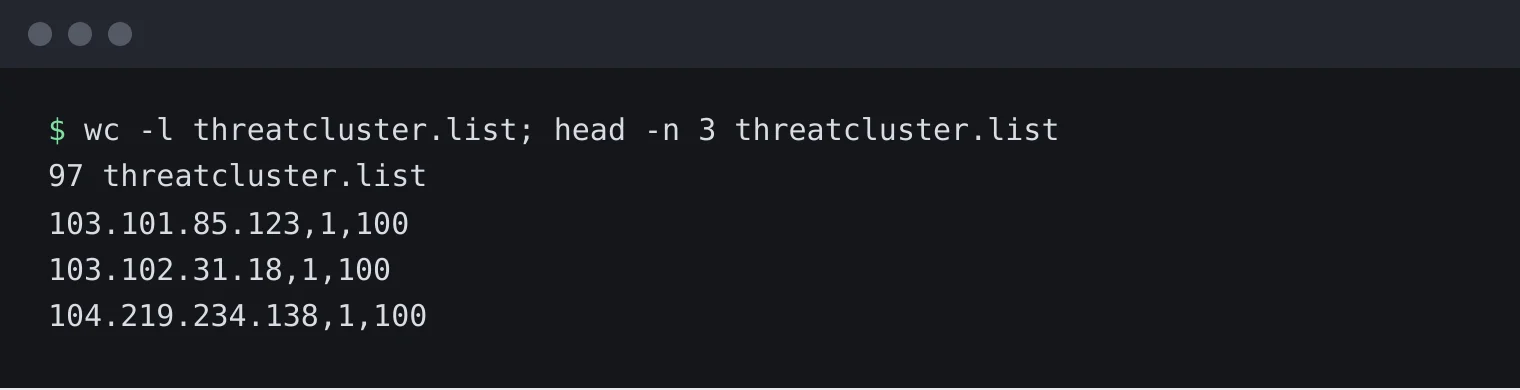
97 addresses, each in category 1 with a score of 100. Point Suricata at both files in
suricata.yaml:reputation-categories-file: /etc/suricata/iprep/categories.txt default-reputation-path: /etc/suricata/iprep reputation-files: - threatcluster.list
Add two rules, for example in
/etc/suricata/rules/threatcluster.rules, and list that file underrule-files:alert ip any any -> any any (msg:"ThreatCluster: traffic to a confirmed malicious address"; iprep:dst,ThreatCluster,>,50; classtype:trojan-activity; sid:9100001; rev:1;) alert ip any any -> any any (msg:"ThreatCluster: traffic from a confirmed malicious address"; iprep:src,ThreatCluster,>,50; classtype:trojan-activity; sid:9100002; rev:1;)
Restart Suricata.
Check the alert log. We tested by replaying a small capture made for the purpose: one connection to an address on the feed and one to an address that is not.

One alert, for the connection to the feed address. The other connection raised nothing.
Keeping it current
Run the download from step 2 daily, then restart Suricata so it reads the new list.
Worth knowing
- Alert or drop. These rules alert. In inline mode, change
alerttodropto block instead. - Shared addresses. An address can host many sites. Start with alerts and look at what fires before you drop.
- If a block is wrong. Tell us at /corrections so it comes off the feed for everyone.