Threat intelligence API / integrations
AdGuard Home
AdGuard Home reads the same plain list of domains that Pi-hole does. Add the ThreatCluster domain feed as a custom blocklist and it is in use straight away. The feed is a public text file, so this needs no API key.
Prerequisites
- An AdGuard Home you can sign in to. The screenshots are from version 0.107.79, run in Docker on 29 September 2026.
- The feed address:
https://threatcluster.io/api/iocs/public/domains.txt
Setup
Open Filters, then DNS blocklists. Select Add blocklist, then Add a custom list. Give it a name, paste the feed address and select Save.
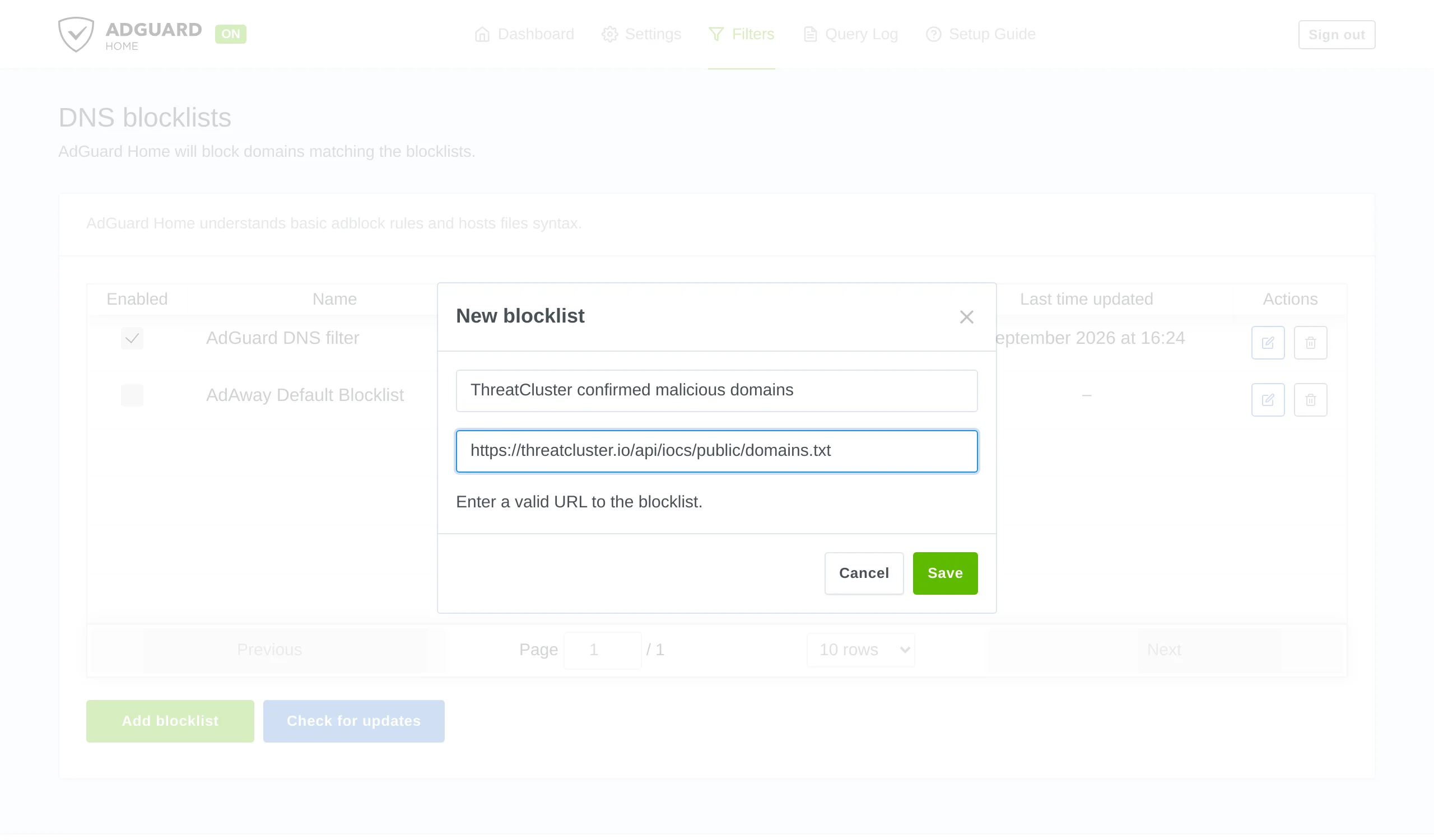
The name is yours to choose. It appears in the query log beside every lookup the list blocks. AdGuard Home downloads the list when you save. There is no separate update step.
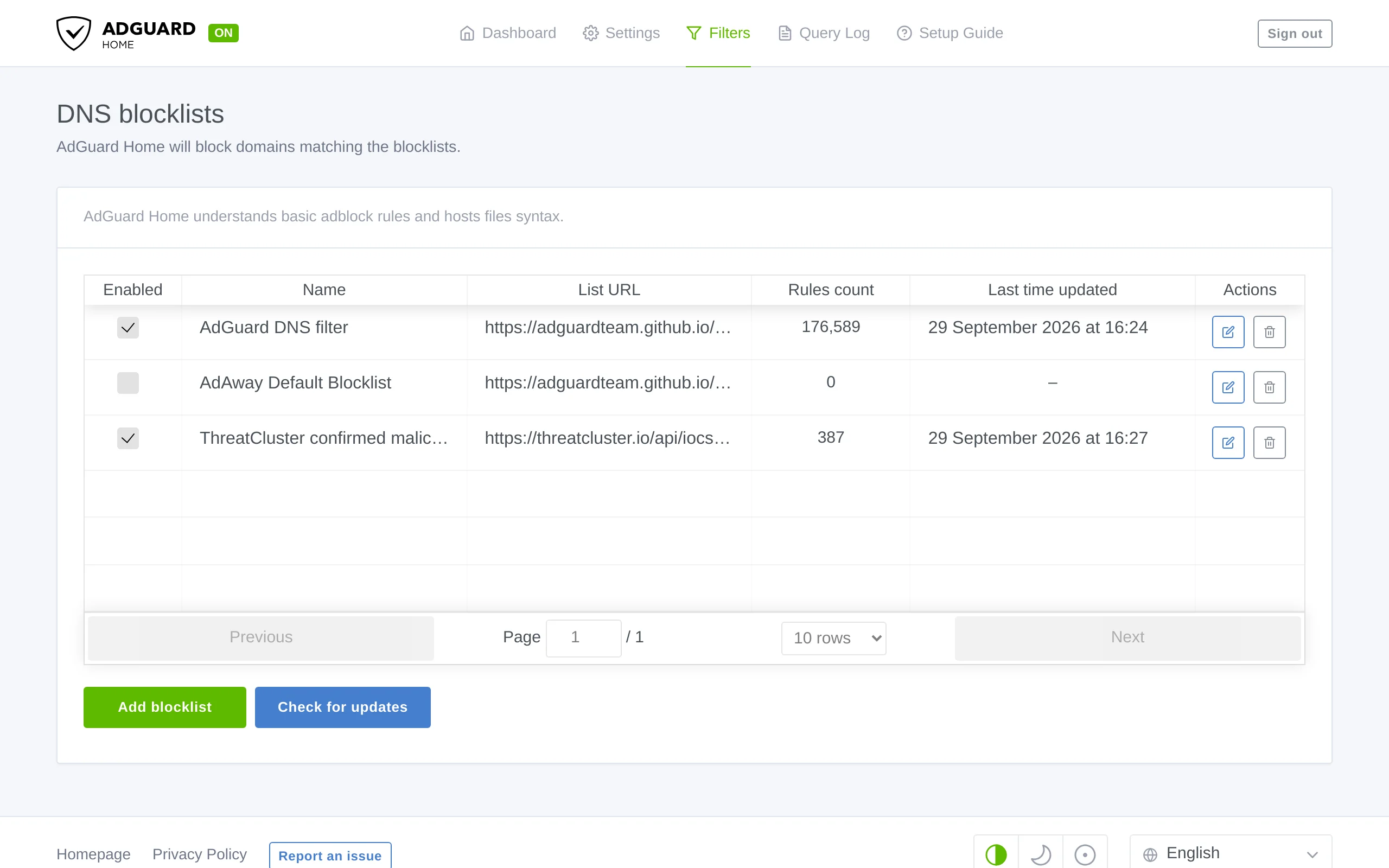
387 rules read from the feed. Test it. Ask AdGuard Home for a domain from the feed and for one that is not on it. Replace the address and port with your own.
dig +short @192.168.1.2 fonts.tarotfree101.top
dig +short @192.168.1.2 example.org

The blocked domain comes back as 0.0.0.0. The test ran against a local AdGuard Home on port 8054. Open Query Log. A blocked lookup is shown in red with the name of the list that blocked it.
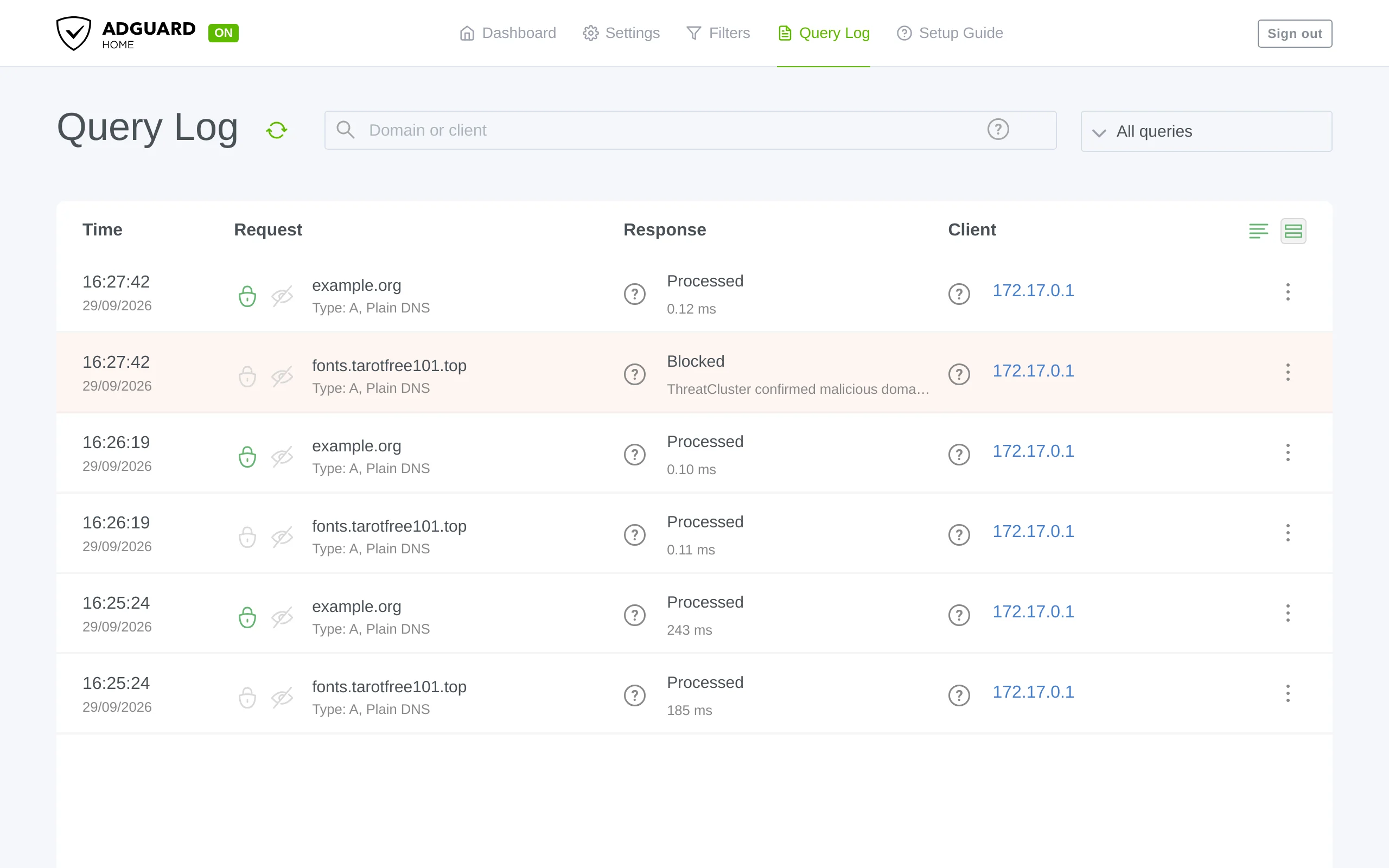
The lookups before the list was added are further down, marked Processed.
Keeping it current
Under Settings, then General settings, set Filters update interval. The feed changes daily, so 24 hours or less is worth having.
Worth knowing
- What is in the feed. Domains confirmed as attacker infrastructure in the last 30 days. Every one has passed validation.
- If a block is wrong. Tell us at /corrections so it comes off the feed for everyone.
- Pi-hole uses the same address. See the Pi-hole guide.