Threat intelligence API / integrations
Pi-hole
Pi-hole blocks a domain by refusing to resolve it. Subscribe it to the ThreatCluster domain feed and every device that uses it for DNS stops reaching domains confirmed as malicious. The feed is a public text file, so this needs no API key and no script.
Prerequisites
- A Pi-hole you can sign in to. The screenshots are from Pi-hole 6.4, run in Docker on 29 September 2026.
- The feed address:
https://threatcluster.io/api/iocs/public/domains.txt. One domain per line, comment lines start with#.
Setup
Sign in to the Pi-hole admin page and open Lists. Paste the feed address into Address, add a comment so you can recognise it later, and select Add blocklist.
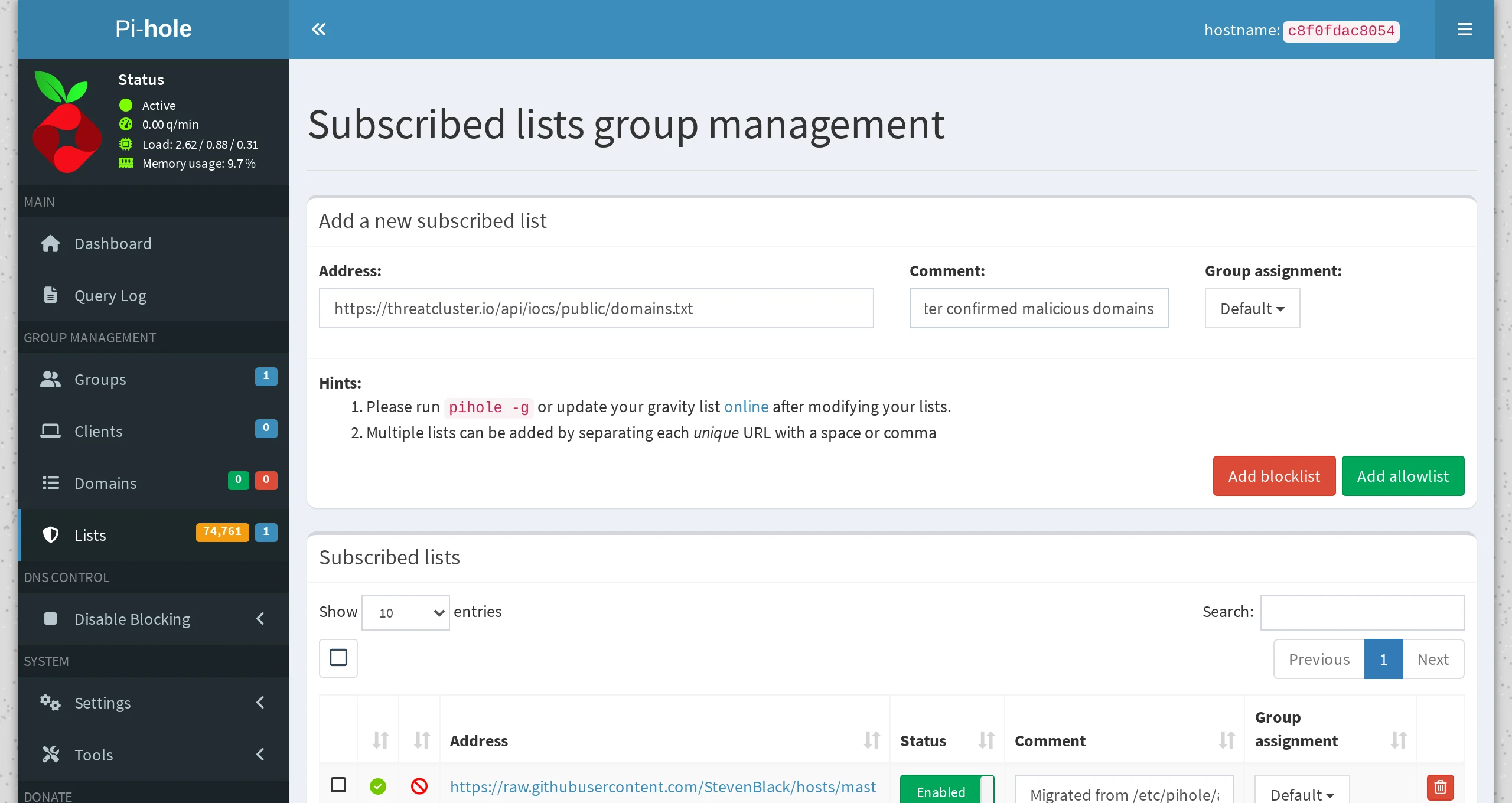
The address and a comment, ready to add. Pi-hole does not use a new list until the next step. Open Tools, then Update Gravity, and select Update. Pi-hole downloads every subscribed list and rebuilds its block table. From a shell,
pihole -gdoes the same.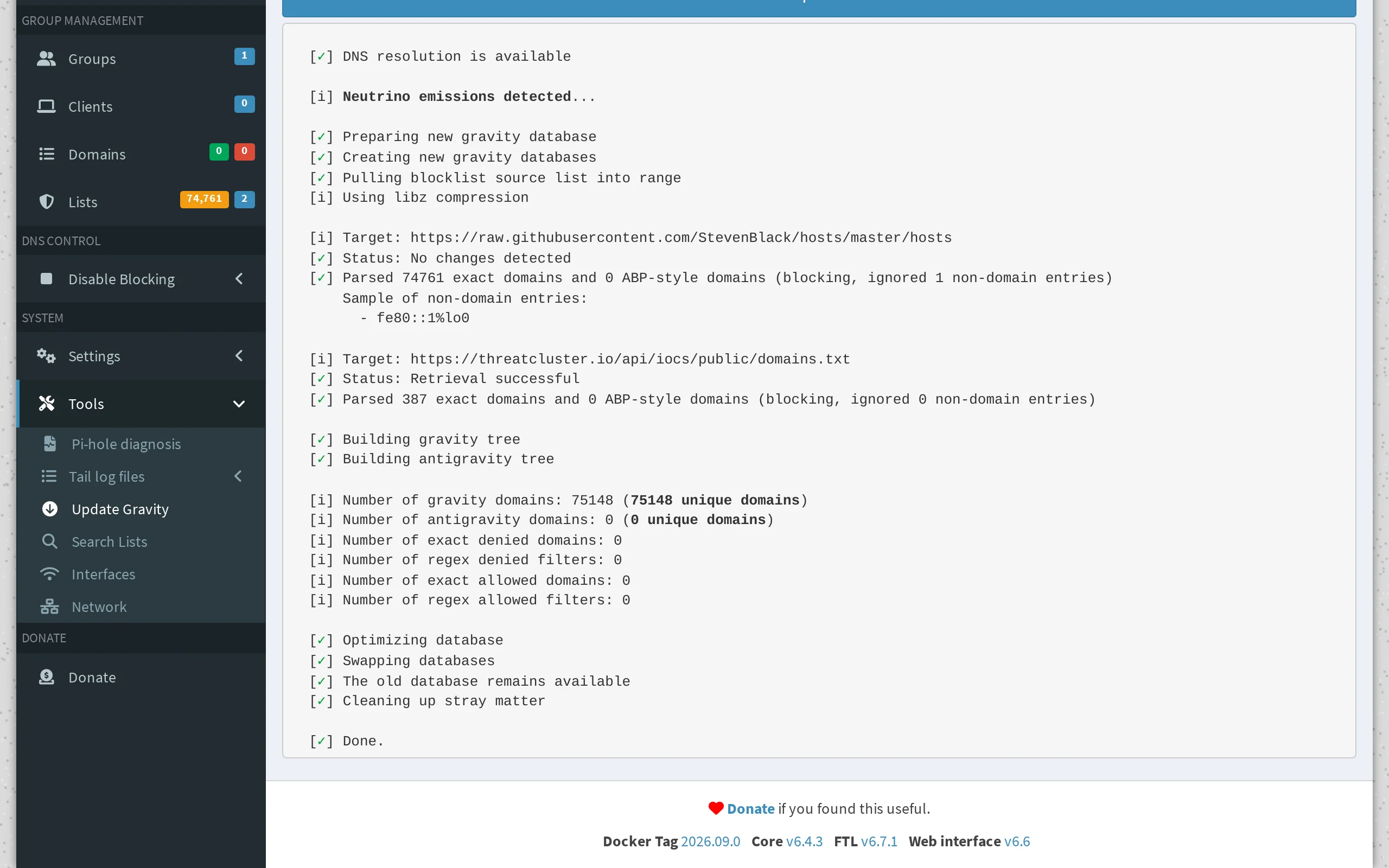
387 domains read from the feed, none rejected. Go back to Lists. A green tick beside the feed means the last download worked.
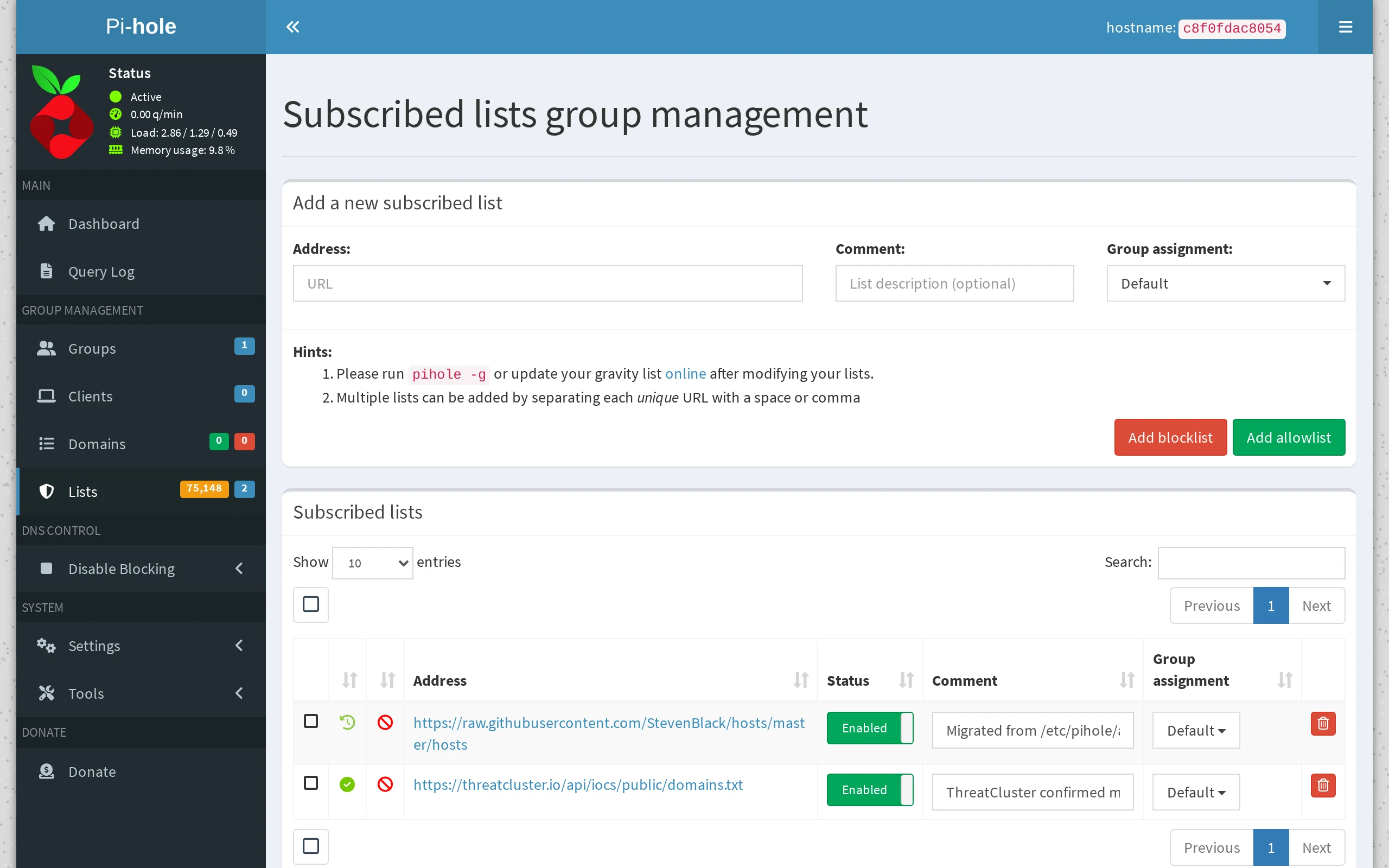
The feed sits beside Pi-hole's default list. Test it. Ask the Pi-hole for a domain from the feed and for one that is not on it. Replace the address and port with your Pi-hole's.
dig +short @192.168.1.2 fonts.tarotfree101.top
dig +short @192.168.1.2 example.org

The blocked domain comes back as 0.0.0.0. The other resolves normally. The test ran against a local Pi-hole on port 8053. Open Query Log to see it from the Pi-hole's side. Blocked lookups are shown in red.
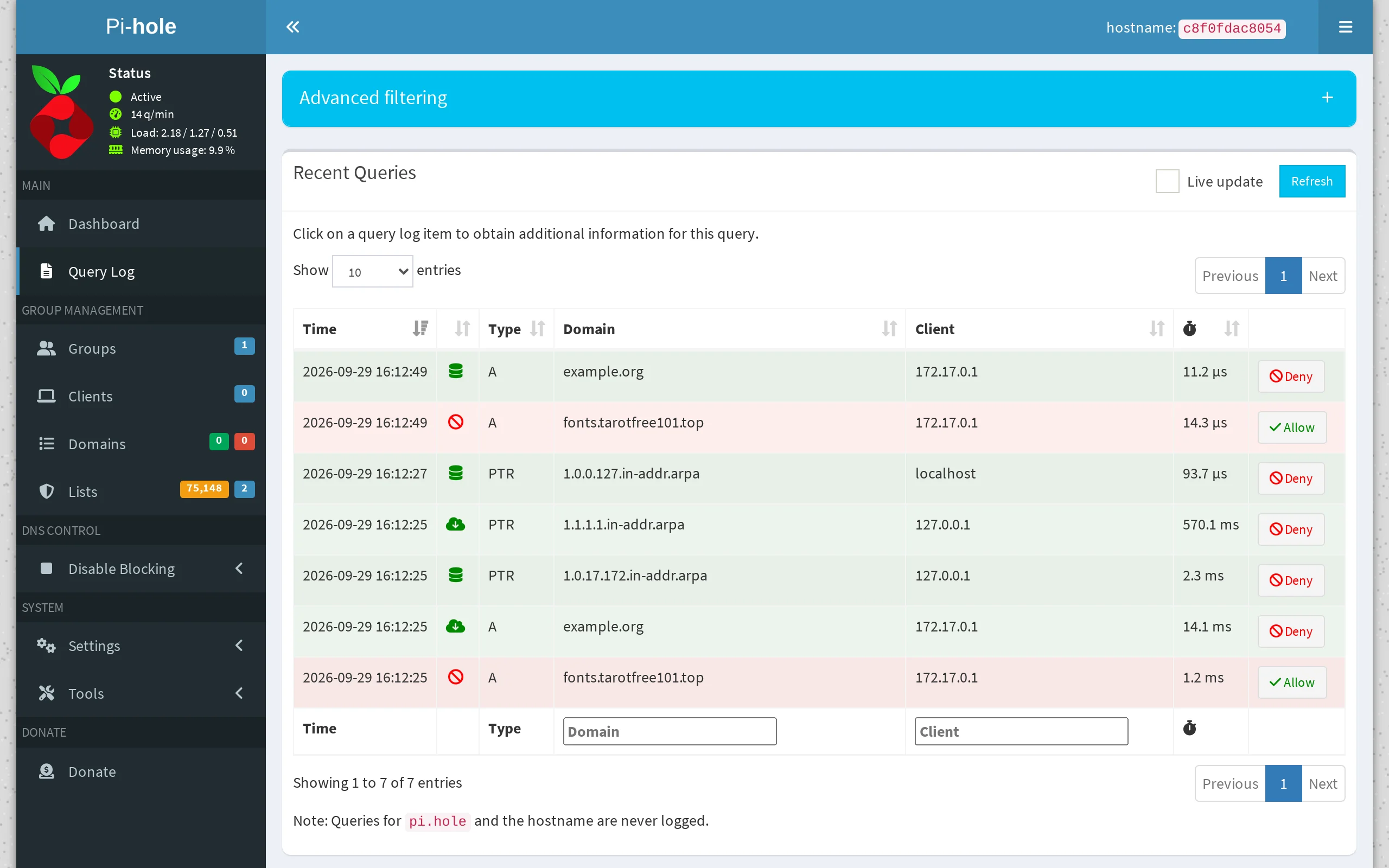
Both test lookups, one blocked and one allowed.
Keeping it current
Pi-hole refreshes its lists once a week by default. The feed changes daily, so a daily refresh is worth having. On the machine that runs Pi-hole, crontab -e, then:
15 4 * * * /usr/local/bin/pihole -g > /dev/null
In Docker, run it from the host instead:
15 4 * * * docker exec pihole pihole -g > /dev/null
Worth knowing
- What is in the feed. Domains confirmed as attacker infrastructure in the last 30 days. Every one has passed validation, and domains on government, education and well-known service lists are excluded.
- If a block is wrong. Select Allow beside the lookup in the query log, then tell us at /corrections so it comes off the feed for everyone.
- Other tools. AdGuard Home reads the same format, and so do most DNS filters. For a firewall, see OPNsense.
- IP addresses and hashes have their own files:
/api/iocs/public/ips.txtand/api/iocs/public/hashes.txt. Pi-hole only uses domains.
Want a narrower window or your own filters? The blocklist export recipe writes the same kind of file from the API, with a key.