Threat intelligence API / integrations
OPNsense
OPNsense can keep a table of addresses in step with a list on the web, and use that table in firewall rules. Add the ThreatCluster IP feed as an alias, block traffic to it, and the firewall refreshes the list by itself. The feed is a public text file, so this needs no API key.
Prerequisites
- An OPNsense firewall you can sign in to. The screenshots are from OPNsense 26.7, run as a virtual machine on 29 September 2026.
- The feed address:
https://threatcluster.io/api/iocs/public/ips.txt
Setup
Open Firewall, then Aliases, and select the plus button. Set Type to URL Table (IPs), paste the feed address into Content, and set Refresh Frequency to 0 days and 1 hour. Select Save, then Apply.
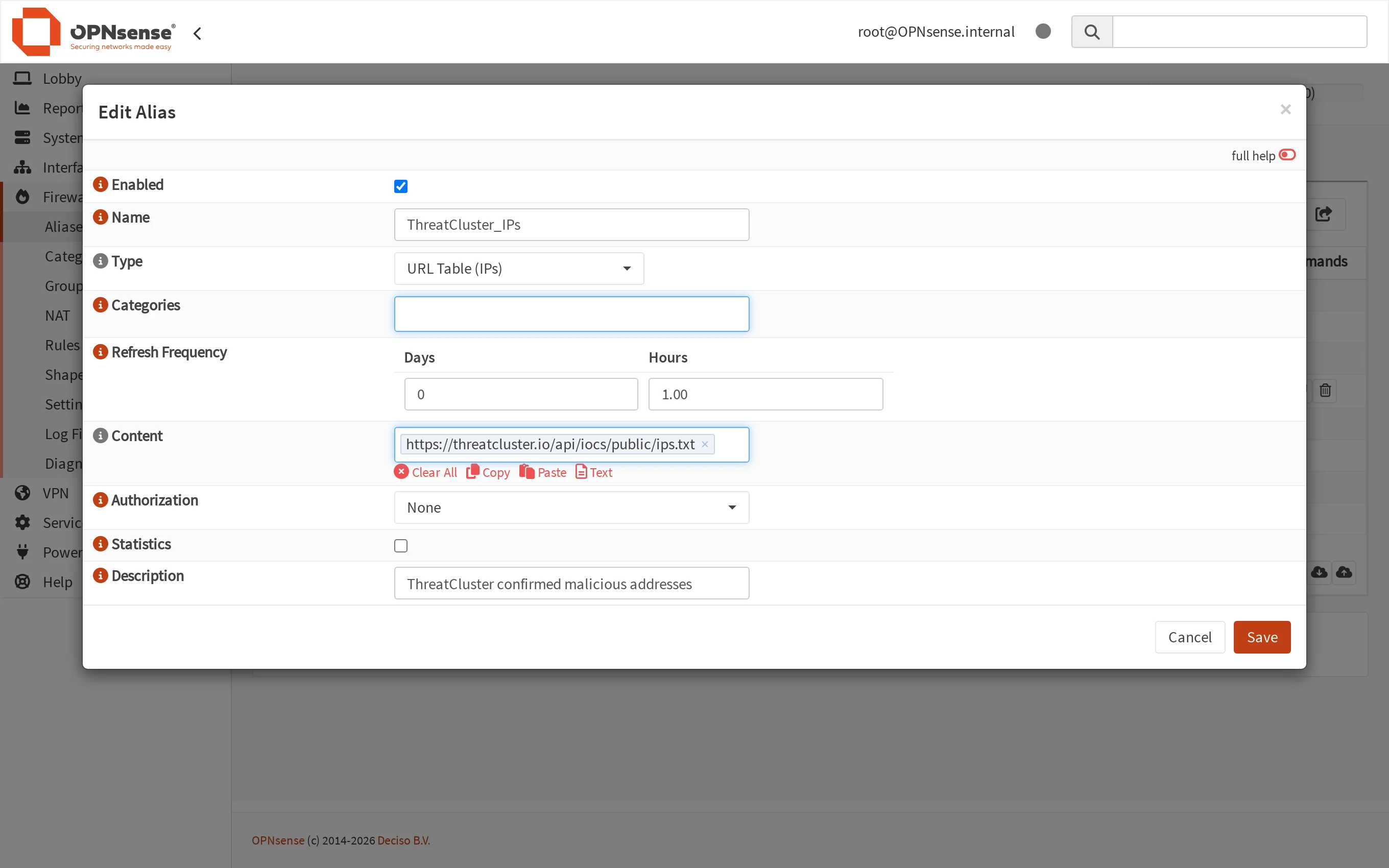
Alias names cannot contain spaces or hyphens, so use an underscore. The alias list shows how many addresses loaded.
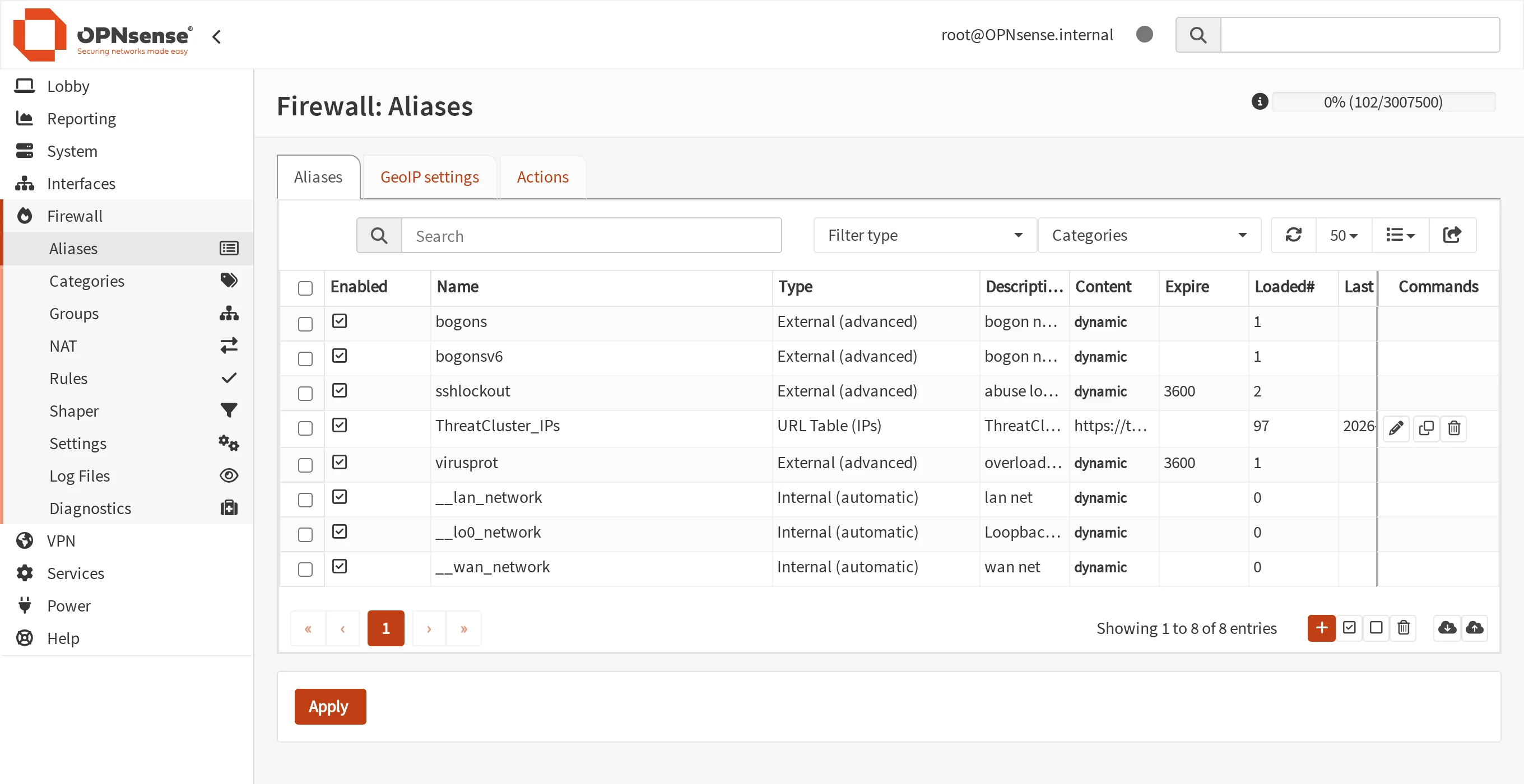
97 addresses loaded. Open Firewall, then Rules, and add a rule: action Block, interface LAN, direction in, source any, destination the alias. Turn on logging so you can see what it stops. Select Save, move the rule to the top, then select Apply.
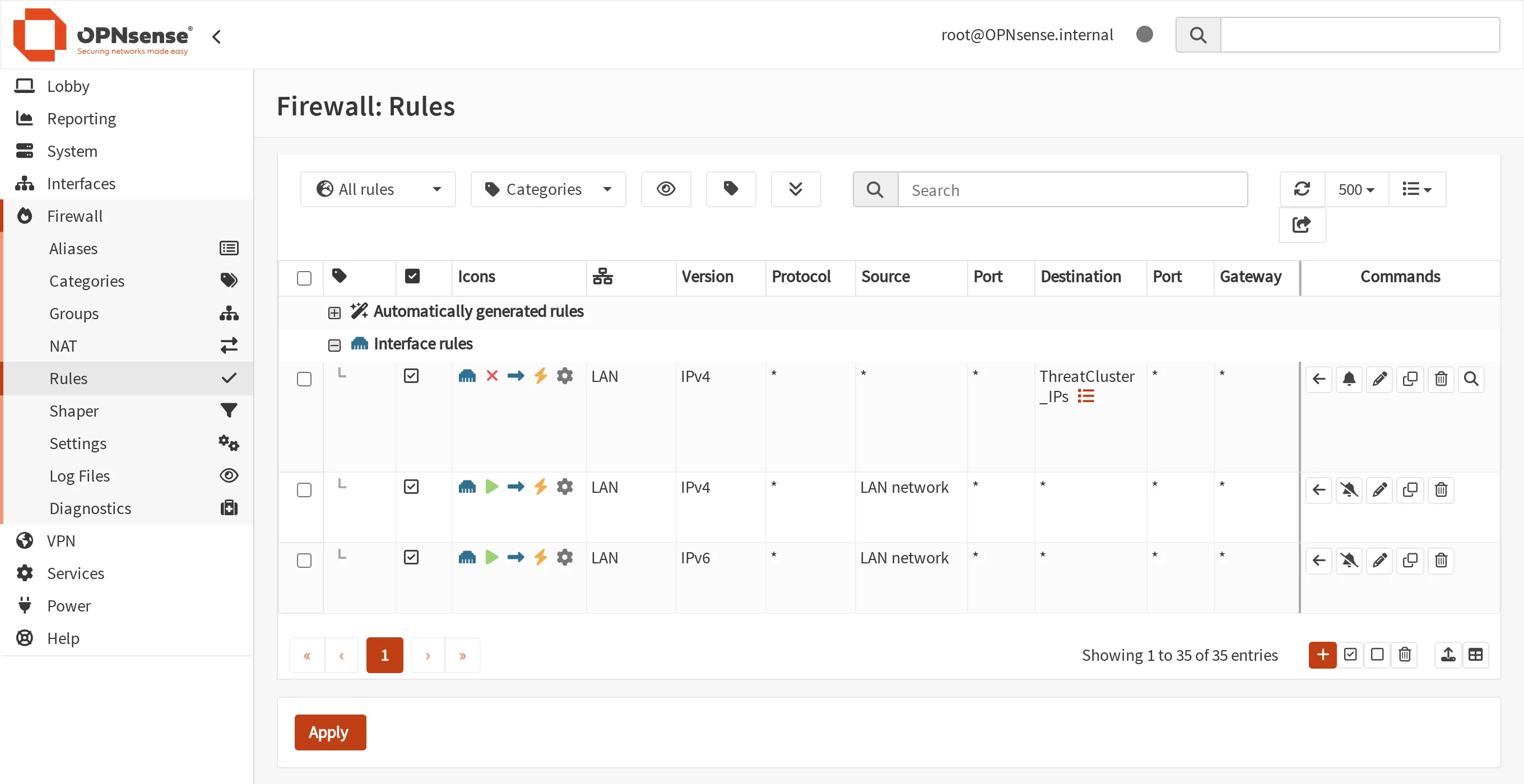
The block rule is first. A new rule is added at the bottom, below the default rule that allows LAN traffic out, where it would never match. Tick the rule, then select the arrow on the top row to move it above. Check it from the firewall's shell. The first command counts the addresses in the live table.
pfctl -t ThreatCluster_IPs -T show | wc -l
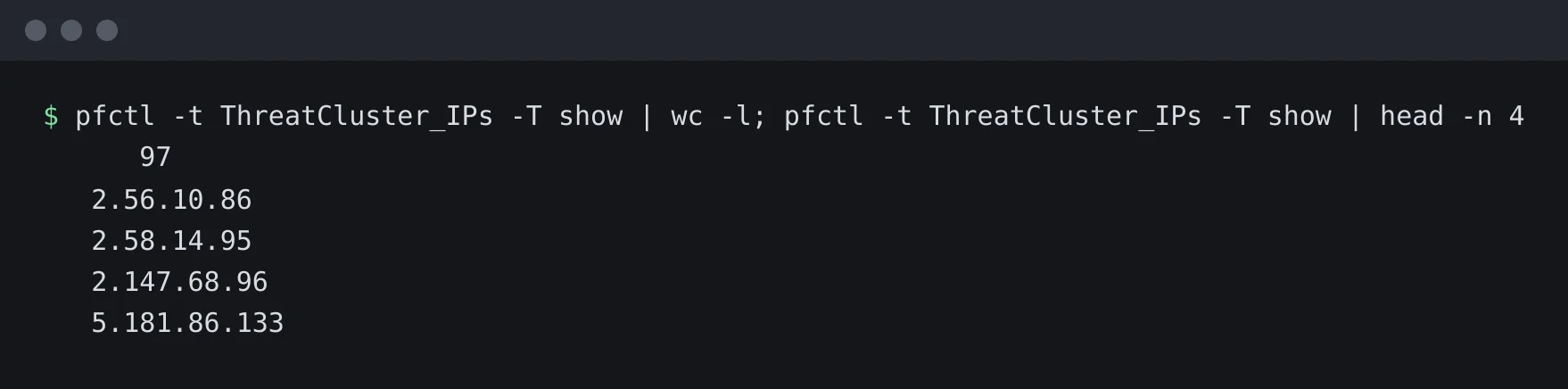
The table the rule reads from. The second asks the firewall whether an address is in the table.
pfctl -t ThreatCluster_IPs -T test 103.101.85.123

An address from the feed matches. An address that is not on it does not.
Worth knowing
- pfSense has the same feature under Firewall, then Aliases, then URLs, as a URL Table (IPs) alias. We have not tested it.
- Shared addresses. An address can host many sites. Keep logging on for the first week and look at what the rule stops.
- Domains. This alias type takes addresses only. For domains, use the Pi-hole or AdGuard Home guide.
- If a block is wrong. Tell us at /corrections so it comes off the feed for everyone.