Threat intelligence API / integrations
OpenAI
OpenAI models can query ThreatCluster 3 ways: a connector in ChatGPT that signs you in with OAuth and needs no key, function calling against the REST API from your own code, and a custom GPT that imports our OpenAPI spec as an Action. All three give the model live threat clusters, IOCs, CVE records and ransomware leak-site victims.
Connector URLhttps://threatcluster.io/mcpAuthOAuth
Setup: a connector in ChatGPT
ChatGPT can talk to the ThreatCluster MCP server directly. You add the server URL once, sign in with your ThreatCluster account, and ChatGPT has ten read-only tools. No API key is typed anywhere. A free ThreatCluster account is enough: 100 credits a day and a 7-day lookback.
- In ChatGPT, open Settings → Security and login and turn on Developer mode. Custom connectors are only offered with it on.
- Open Plugins, select the + button, then Create app and Create MCP App. Enter a name, the server URL
https://threatcluster.io/mcp, leave authentication on OAuth, tick the acknowledgement and select Create.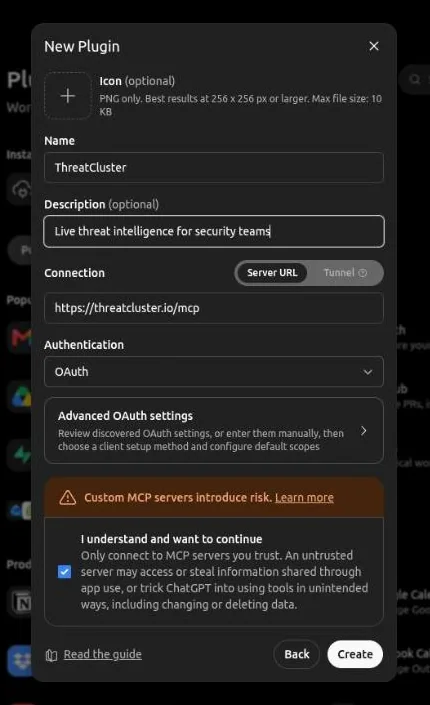
ChatGPT discovers the OAuth settings from the server, so there is nothing to fill in under Advanced OAuth settings. - Select Sign in with ThreatCluster. A new tab opens on the ThreatCluster login page; sign in or create a free account.
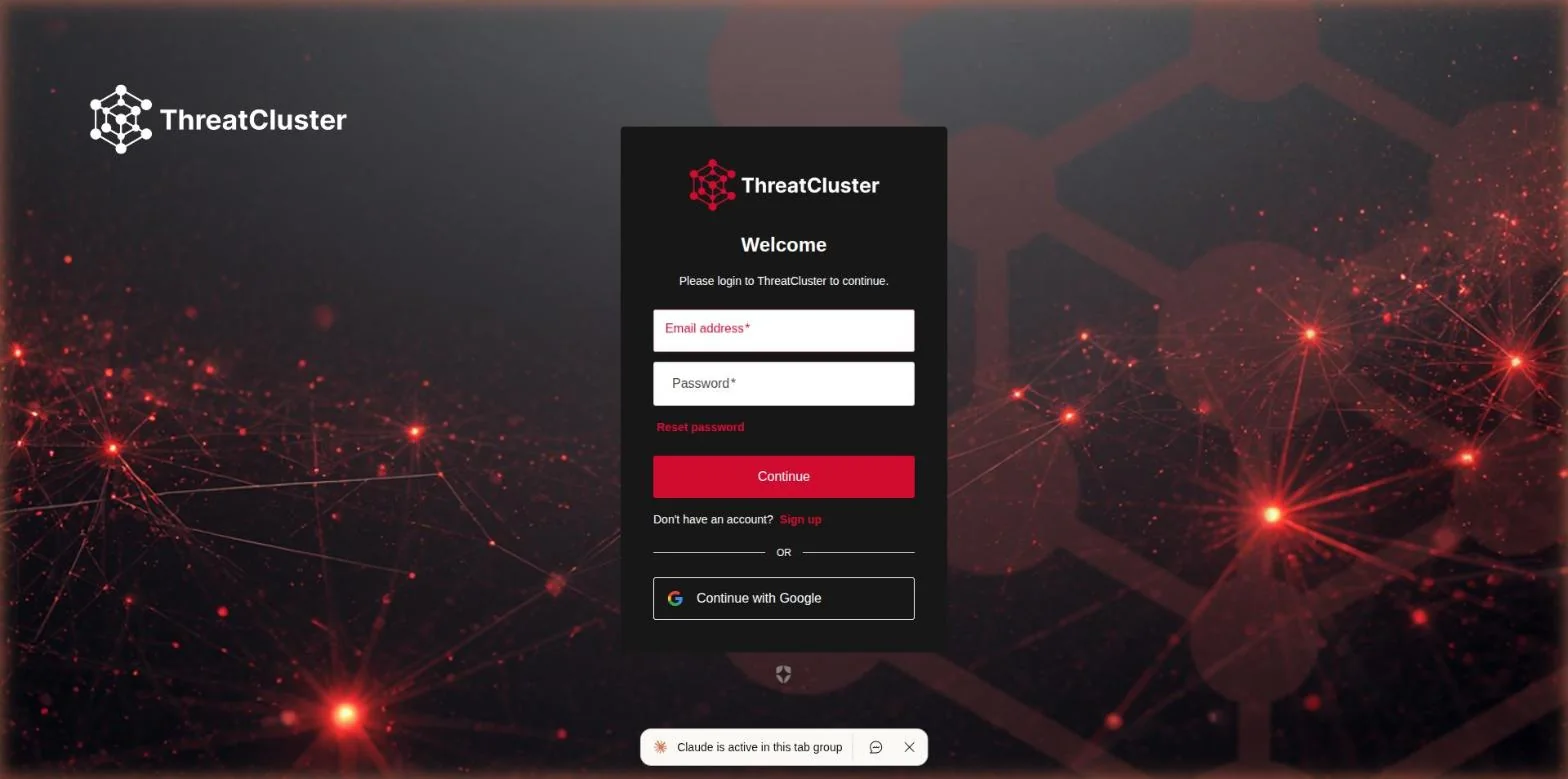
The sign-in happens on threatcluster.io. ChatGPT never sees your password. - Accept the request. The only permission asked for is offline access, which lets ChatGPT refresh its token without prompting you again.
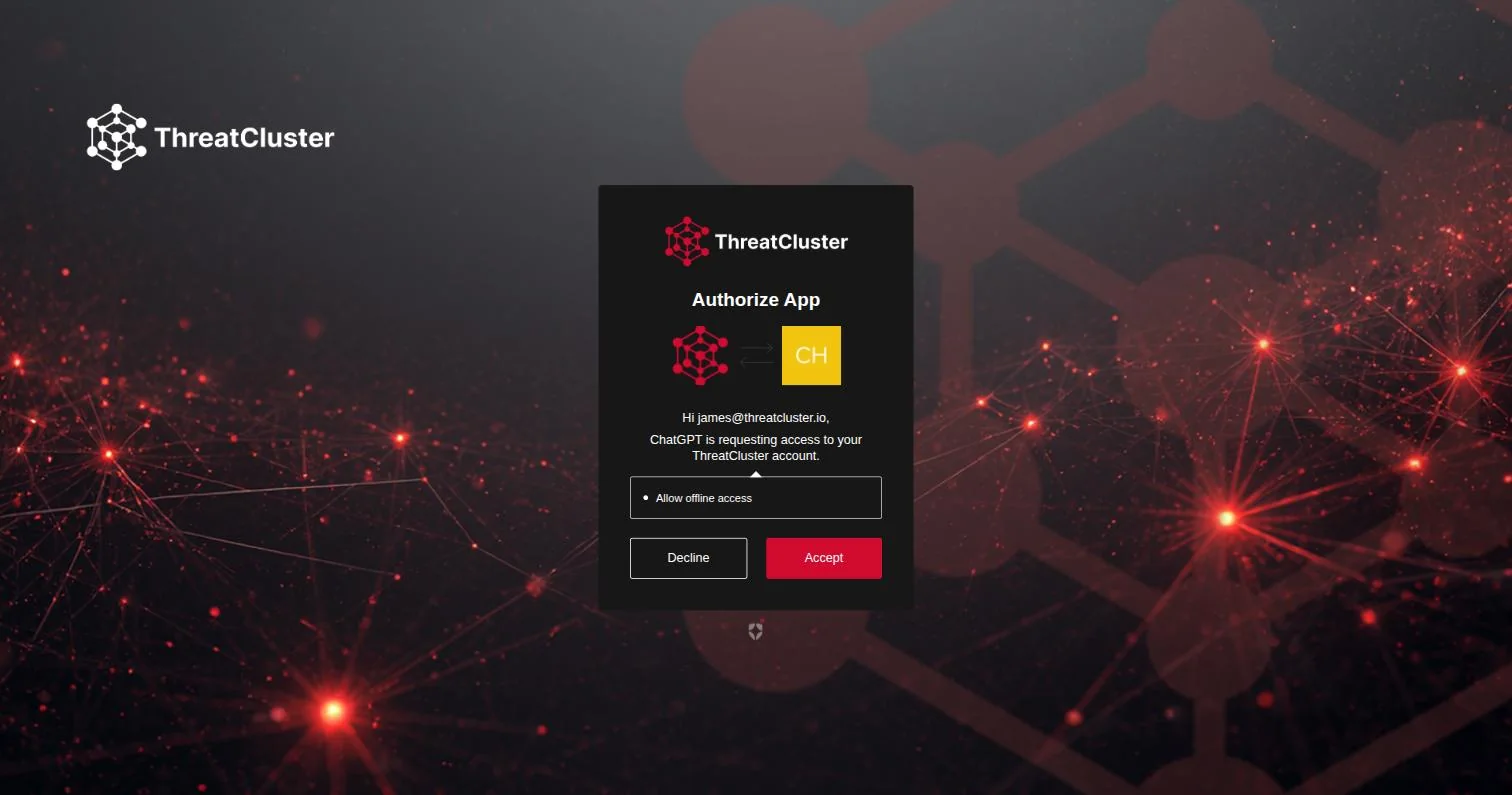
The consent screen names the client asking, here ChatGPT. - Back in ChatGPT the connector shows your account as connected. Select Refresh once so it loads the tool list.
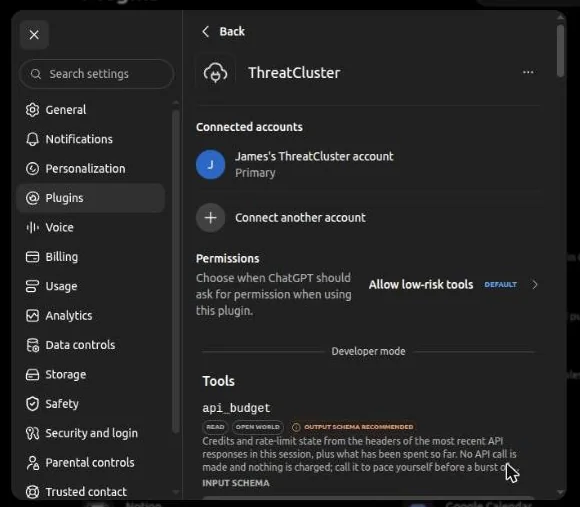
Each tool is marked read-only. With the default permission, ChatGPT calls read-only tools without asking first. - In a new chat, select + in the message box, choose ThreatCluster, and ask a question that needs live data.
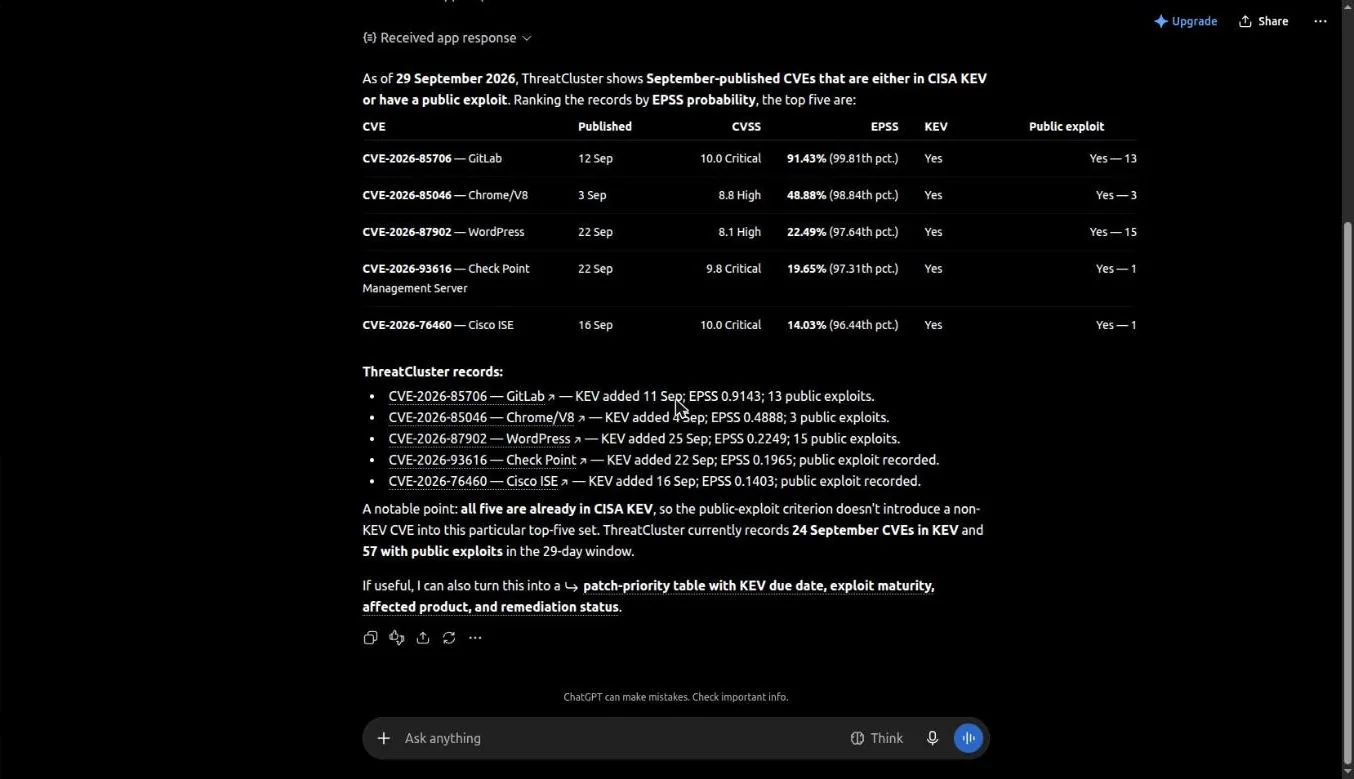
The prompt was "Which CVEs published this month are in CISA KEV or have a public exploit? Give the top five with KEV and EPSS, and cite the ThreatCluster URLs." ChatGPT made four tool calls and answered in 34 seconds, with a link to each record.
Using Claude instead? ThreatCluster is listed in the Claude directory, so there it is one click: see the Claude guide. Any other MCP client can use the same URL: see the MCP server guide.
Prerequisites
- A ThreatCluster account (Free works) and an API key from Settings → API. The key is sent in the
X-API-Keyheader. - Base URL:
https://threatcluster.io/api/public/v1 - An OpenAI API key (for function calling) or a ChatGPT account that can create GPTs (for Actions).
A free ThreatCluster key gets 100 credits per day, 30 requests per minute, a 7-day lookback window, and the read scopes threats:read, iocs:read, entities:read, vulns:read and darkweb:read.
Setup: function calling with the Responses API
The function below is derived from the live OpenAPI spec for GET /search, which takes q, limit, days and include_articles. One search call covers clusters, entities and the dark web, so most agents need only this tool plus plain GETs on the detail endpoints it points to.
- Define the tool and a function that executes it. Returning the budget headers alongside the data lets the model see what the call cost and how much budget is left:
import json, os, requests from openai import OpenAI client = OpenAI() tools = [{ "type": "function", "name": "search_threatcluster", "description": "Search ThreatCluster threat clusters, entities and " "dark-web records in one call. Chain the returned " "short_id into /threats/{short_id} detail endpoints.", "parameters": { "type": "object", "properties": { "q": {"type": "string", "description": "A CVE id, threat actor, malware family, product or company name"}, "limit": {"type": "integer", "description": "Max results, default 10"}, "days": {"type": "integer", "description": "Only look at the last N days"}, "include_articles": {"type": "boolean", "description": "Include source articles, default false"} }, "required": ["q"], "additionalProperties": False } }] def search_threatcluster(q, limit=10, days=None, include_articles=False): params = {"q": q, "limit": limit, "include_articles": include_articles} if days is not None: params["days"] = days r = requests.get( "https://threatcluster.io/api/public/v1/search", params=params, headers={"X-API-Key": os.environ["TC_API_KEY"]}, timeout=30, ) r.raise_for_status() return { "cost": r.headers.get("X-Request-Cost"), "credits_remaining_today": r.headers.get("X-RateLimit-Remaining"), "data": r.json(), } - Send a request with the tool attached:
input_list = [{"role": "user", "content": "What do we know about CVE-2026-46037?"}] response = client.responses.create( model="gpt-5.6", # any current model with tool calling tools=tools, input=input_list, ) - Execute any
function_callitems the model returns, append the outputs, and call again:input_list += response.output for item in response.output: if item.type == "function_call": result = search_threatcluster(**json.loads(item.arguments)) input_list.append({ "type": "function_call_output", "call_id": item.call_id, "output": json.dumps(result), }) response = client.responses.create(model="gpt-5.6", tools=tools, input=input_list) print(response.output_text)
Setup: a custom GPT with Actions
- In ChatGPT, create a GPT and open the Actions section of the editor.
- Choose Import from URL and point it at
https://threatcluster.io/api/public/v1/openapi.json. It is an OpenAPI 3.1.0 document, the version the GPT editor expects. - Set authentication to API key and paste the key from Settings → API. The spec declares the header it belongs in (
X-API-Key). - Test an action from the editor preview before publishing. Note the operation names the import produces and refer to them in the GPT's instructions.
The spec imports every endpoint, including write endpoints your key's scopes will refuse. A 403 response names the missing scope. If you want a smaller action surface, paste a trimmed copy of the spec instead of importing the full URL.
Worked example
A real captured request and response. Searching a company name finds dark-web leak-site records even when there is no news cluster:
GET /search?q=Intraco
{
  "query": "Intraco",
  "clusters": [],
  "entities": [],
  "darkweb": [
    {
      "type": "victim",
      "name": "PT Intraco Penta Tbk",
      "id": "bdd665d27f502e10",
      "date": "2026-09-01T15:53:54.238628+00:00",
      "group": "direwolf",
      "country": "ID",
      "sector": "Manufacturing"
    }
  ],
  "limit": 10,
  "total": 1
}
Chain the victim id into /darkweb/ransomware/victim/bdd665d27f502e10 for the enriched record, or a cluster's short_id into /threats/{short_id}, /threats/{short_id}/iocs and /threats/{short_id}/stix.
Budgets for agents
Free keys spend a daily budget of 100 credits. Most requests cost 1 credit, /search costs 5, IOC and STIX pulls cost 3, and a dark-web victim enrichment costs 10. Every response carries X-Request-Cost, and budgeted tiers also get X-RateLimit-Limit, X-RateLimit-Remaining and X-RateLimit-Reset. The function above passes those headers back to the model so it can pace itself. An exhausted budget returns 429 daily_budget_exceeded with a Retry-After header; the correct behavior is to stop and retry after that many seconds. A request that finds nothing refunds its credits and returns X-Request-Cost: 0, so speculative lookups are cheap.
Full endpoint reference: /api/public/v1/docs. CLI and agent keys: /cli. Plans and credits: /pricing.