 Back Huntress
 Phishing Campaign Abuses Microsoft Power BI to Deploy Rogue RMMs
Threat actors frequently abuse legitimate platforms in their phishing attacks in order to bypass email security measures and increase the believability of the attack. We recently saw attackers abusing Microsoft Power BI, a business intelligence and data visualization tool used to turn raw data into interactive reports, dashboards, and charts. Threat actors sent phishing emails with an embedded link that abused a legitimate Microsoft Power BI domain, which prompted targets to press a "Download Reference" button. This button led to a new tab being opened on the browser, which then kicked off the download of multiple malicious ScreenConnect remote monitoring and management (RMM) instances.
Starting September 10, we saw this phishing campaign with the same delivery vector, ScreenConnect clients, and network Indicators of Compromise (IOCs) hit a handful of different endpoints. Furthermore, a retroactive threat hunt shows that the unique ScreenConnect client and configuration associated with one of the RMMs in the attack also impacted 22 other endpoints across separate incidents.
Figure 1: An outline of the phishing campaign
The attack started with an Outlook phishing email to a target. While we couldn't obtain the initial email and lure, it contained an embedded link which then redirected users to a fake reference document on a legitimate Power BI domain ( hxxps[://]app.powerbi[.]com/view?r=eyJrIjoiNTk0NmViNDktYzM1Yy00MjEwLTkyZTctNGU5ZTJmYzMzYjEwIiwidCI6IjU1YTI4YmU2LTFiYzQtNDIzMS05MTA0LTdkMmFlYTVmMGZhNiJ9 ).
Threat actors have previously abused Power BI in phishing attacks by creating real dashboards on app.powerbi.com under their own (usually compromised or throwaway) account, embedding a malicious link into that dashboard, and setting the dashboard's sharing permissions to public before sending it to targets via email. Because the link points to Microsoft's real Power BI domain, it skirts through Microsoft 365 mail filters and other security gateways that trust this domain.
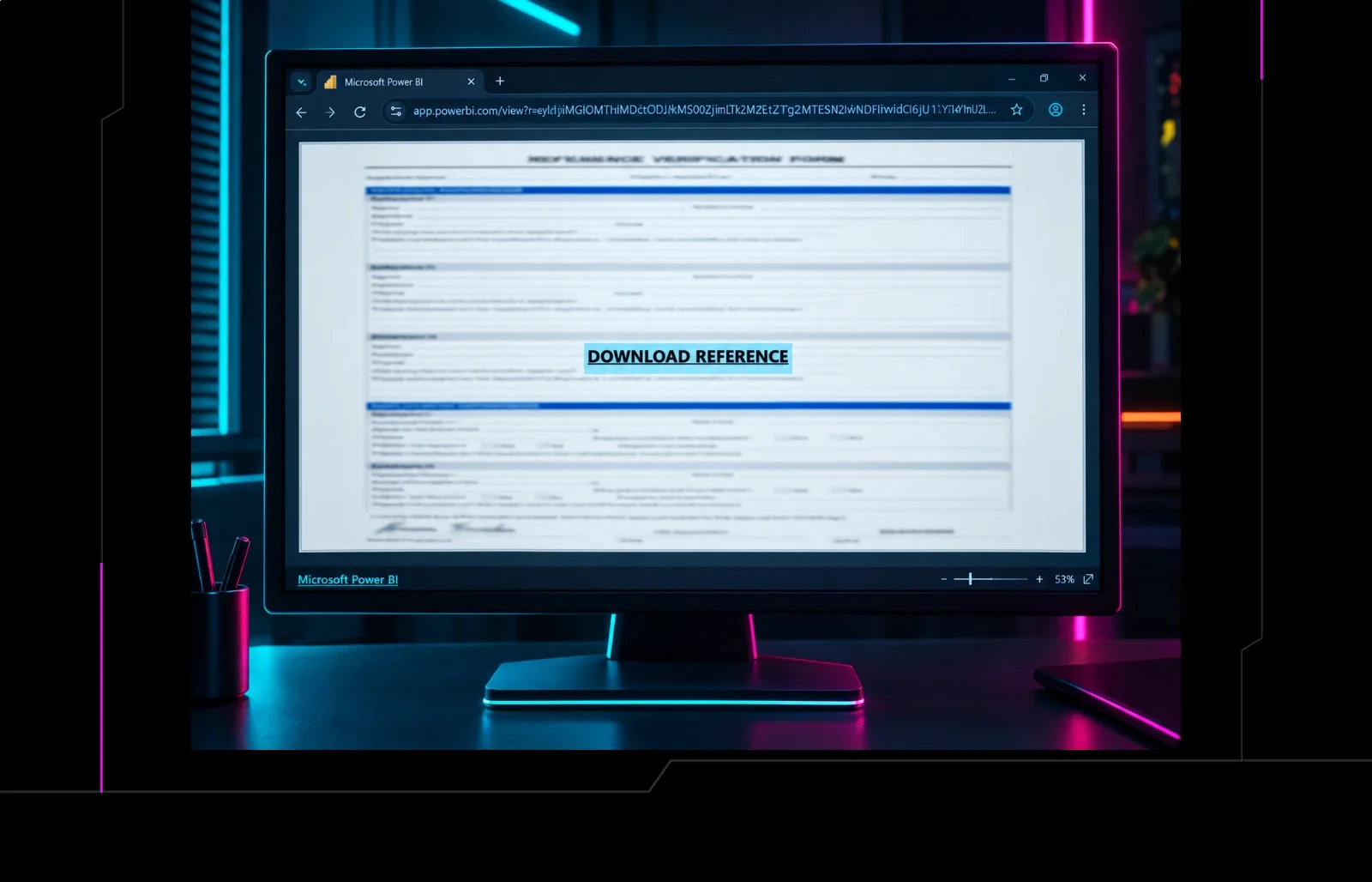
As seen in Figure 2, this webpage showed a blurred form and prompted targets to "Download Reference".
Figure 2: The legitimate Power BI domain being abused by threat actors in a campaign
When the target clicked "Download Reference" a new browser tab opened to hxxps[://]dailylifeproject[.]site/S/ .
This landing page performed browser and environment fingerprinting, checking the operating system, browser and version, mobile/desktop status, user-agent, automation indicators, screen size, iframe context, and cloud-provider-associated cookies. It also embedded a Telegram Bot API credential and chat identifier to report victims' IP addresses, geolocation, browser, operating system, and download activity. All of this information from the victim's host was sent back to the attacker-controlled Telegram bot.
Figure 3: Screenshot from main.js showing the reuse of the Telegram bot
This is classic anti-analysis and traffic filtering behavior, which is an attempt by attackers to weed out scanners and keep researchers from seeing the attack's payload; visitors who failed these checks would be redirected to check.vykyn[.]click/E/ .
Across other incidents, we also saw the new browser tab opened to other attacker-controlled domains, including:
hxxps[://]burnsworth[.]site/S/main.html
hxxps[://]burnsworth[.]site/S/main.html
hxxps[://]essaywritingservice[.]site/S/main[.]html
hxxps[://]essaywritingservice[.]site/S/main[.]html
hxxps[://]openpediatrics[.]site/S/main.html
hxxps[://]openpediatrics[.]site/S/main.html
The campaign variant hosted on the burnsworth[.]site/S/main.html page would fingerprint victims by collecting their public IP, IP-derived location and ISP, approximate coordinates, device type, browser and version, full user-agent, and UTC timestamp, while restricting access to Windows desktop systems and filtering Microsoft or unknown ISPs; it also reused the same hardcoded Telegram Bot API credential and chat identifier to report that telemetry.
When these tabs opened, they kicked off the download of a malicious ScreenConnect installer.
Interestingly, looking at the website's code, the page had been configured to delay the automatic download of the payload – meaning that after a few seconds on the page, the script would programmatically click a hidden download link (leading to the installer).
On the frontend, the webpage displayed a notification to targets stating the "Reference Verification Form downloaded successfully" and to view it in their Downloads folder.
Figures 4 and 5: A new tab opened and kicked off the download of a rogue RMM. These are two variations of the same attack
The ScreenConnect installer ( ScreenConnect.ClientSetup.exe ) was downloaded from hxxps[://]hamham27[.]screenconnect[.]com/Bin/ScreenConnect.ClientSetup.exe?e=Access&y=Guest&t=ILEAYEASAN . The attackers reused the same ScreenConnect tenant and installer path across campaign variants while changing the t guest-access parameter, observed as ILEAYEASAN , PERFECTO , PAPASUPE , etc. This suggests campaign- or lure-specific access tokens.
Figure 6: A signal showing the second rogue ScreenConnect client being deployed
In all instances, the installer downloaded the first rogue ScreenConnect client ( 2b302081e9e777d0 ), connected to the domain instance-g01s1n-relay[.]screenconnect[.]com . This then established a second rogue ScreenConnect client ( 43773b3da4ccb17b ), which was connected to onthegotree[.]site .
In one incident, the initial rogue ScreenConnect client ( 2b302081e9e777d0 ) was observed executing a malicious CMD file ( LyN03DvVjUKPrun.cmd ), which deployed a PowerShell script ( SCAutoFix.ps1 ) from the temp directory. This script then downloaded and executed the additional RMM installer ( C:\Temp\ScreenConnect.ClientSetup.msi , which was saved as C:\Users\ScreenConnect.ClientSetup (6).exe from the URL hxxps[://]onthegotree[.]site/Bin/ScreenConnect.ClientSetup.msi?e=Access&y=Guest ). The RMM installer then led to the second ScreenConnect instance; the PowerShell script also resulted in the uninstallation of the first ScreenConnect instance, in a likely effort to evade detection.
As we've outlined before, multiple RMMs are often deployed by threat actors as a way to establish further persistence – even if one RMM is rooted out, another one remains.
After the rogue RMMs were deployed, they executed HideUL_x64.exe , which Huntress assessed as a defense evasion tool designed to hide the attacker's activities from the user and security software. In one incident, a Scheduled Task ( SCAutoRepairEvery2Min ) was created and configured to run the script ( SCAutoFix.ps1 ) every two minutes. At this point, however, the attack was shut down by the SOC.
The power of trusted domains
This campaign shows how attackers can turn trusted services into effective phishing infrastructure. By abusing Microsoft Power BI, they hosted a convincing lure on a legitimate domain, then used a fake download prompt to install rogue ScreenConnect clients and establish persistent remote access.
Defenders should review phishing protections and user-reporting workflows for links hosted on trusted cloud services, especially when they lead to downloads or request sensitive actions. Monitor for new or unexpected ScreenConnect installations, connections to unapproved ScreenConnect instances, and the creation of scheduled tasks or scripts associated with remote access tools. Where possible, restrict remote management software to approved instances and investigate endpoints with multiple RMM clients installed.
Indicators of Compromise (IOCs)
ScreenConnect.ClientService.exe (2b302081e9e777d0)
5956f9afb3ba610c38b2cfda88dd15be98783963769a12020c93ce05e749b3c3
Initial rogue ScreenConnect client
ScreenConnect.ClientService.exe (43773b3da4ccb17b)
f048400c23add8c75abe189393d33c873c02c74eeaf43d47b950c8d643763b35
Secondary rogue ScreenConnect client
SCAutoRepairEvery2Min
Runs SCAutoFix.ps1 every two minutes
Observed executing on an affected endpoint
hxxps[://]app[.]powerbi[.]com/view?r=eyJrIjoiNTk0NmViNDktYzM1Yy00MjEwLTkyZTctNGU5ZTJmYzMzYjEwIiwidCI6IjU1YTI4YmU2LTFiYzQtNDIzMS05MTA0LTdkMmFlYTVmMGZhNiJ9
hxxps[://]dailylifeproject[.]site/S/
hxxps[://]burnsworth[.]site/S/main.html
hxxps[://]essaywritingservice[.]site/S/main[.]html hxxps[://]openpediatrics[.]site/S/main.html
Payload staging websites
hxxps[://]hamham27[.]screenconnect[.]com/Bin/ScreenConnect.ClientSetup.exe?e=Access&y=Guest&t=ILEAYEASAN
hxxps[://]hamham27[.]screenconnect[.]com/Bin/ScreenConnect.ClientSetup.exe?e=Access&y=Guest&t=PERFECTO hxxps[://]hamham27[.]screenconnect[.]com/Bin/ScreenConnect.ClientSetup.exe?e=Access&y=Guest&t=PAPASUPE
ScreenConnect installer ( ScreenConnect.ClientSetup.exe ) download
instance-g01s1n-relay[.]screenconnect[.]com
Infrastructure associated with the initial rogue ScreenConnect client
Infrastructure associated with the secondary rogue ScreenConnect client
The full story
This article is one source in a clustered incident — the cluster page carries the summary, timeline and every other outlet covering it.
